In this article
If you’re looking for an ADHD planner, you’ve probably already tried:
- A paper planner (abandoned after 4 days)
- Notion (spent 6 hours building a dashboard, never opened it again)
- Todoist (guilt-tripping notifications)
- Apple Reminders (too simple to be useful)
- A $15/month productivity app (cancelled after the free trial)
If you searched “ADHD planner templates for Google Sheets,” here’s the honest answer: a spreadsheet you copy into Google Drive isn’t what sticks. A designed PDF guide and workbook you can print and keep is. Here’s why — and which ones are actually worth using in 2026. (If you want the wider view first — planners, timers, brain dumps, the whole kit — start with the complete guide to ADHD tools for adults.)
Why a Designed PDF Beats Every App
No subscription
A one-time PDF download is yours forever. Not “free trial” yours. Not “free tier with limitations” yours. Pay once, keep it permanently. You never have to decide whether to renew. You never lose access because a payment failed. The cognitive cost of a subscription — remembering it exists, evaluating whether to keep it, feeling guilty about paying for something you’re not using — is zero.
For ADHD brains, this matters more than features. The best tool is the one you don’t have to think about maintaining.
No setup paralysis
Apps like Notion give you infinite customization. That sounds great until you realize customization IS the trap. You spend 6 hours building the perfect dashboard and zero hours actually using it. The setup becomes the project.
A Built for ADHD PDF comes finished. You download it, open it, and start. Print the pages you want and keep them where you’ll see them. No configuration. No properties to define. No databases to link. No login. No Apps Script. Just open and go.
Works everywhere
Phone, tablet, laptop, or printed on paper taped to the fridge — a PDF opens on any device and prints on any printer. No app. No “premium sync.” It’s just there.
You own it
No company can shut down and take it with them. No API changes. No “we’re pivoting to AI and your planner is now a chatbot.” The file lives on your device and in your inbox. Yours forever, any device, print what you want.
What Makes a Planner “ADHD-Friendly”
Not every planner qualifies. Most are just a generic grid with a new cover. An ADHD-friendly planner needs:
Energy-based sorting — Organizing by priority doesn’t work for ADHD brains. You need to sort by energy: “What can I do right now given how I feel?” Not “What’s theoretically most important?”
Tiny first steps — Big tasks paralyze ADHD brains. Every task needs a “smallest possible next action” attached to it.
Built-in rewards — Checking a box isn’t enough dopamine. You need visible proof that you accomplished something: a done list, progress pages you fill in, wins you can see at a glance.
Low maintenance — If the system requires weekly reviews, tag management, or inbox processing, it’s dead on arrival. The planner should work with one interaction: dump and go.
Print-and-keep pages — A plan you can’t see is a plan you’ll forget. The best ADHD planners give you pages you print and put where your eyes already land — the desk, the fridge, the wall. Paper doesn’t need a login.
The Best ADHD Planners in 2026
For General Task Management: Daily OS
Price: $17 | Best for: Anyone who has 47 mental tabs open
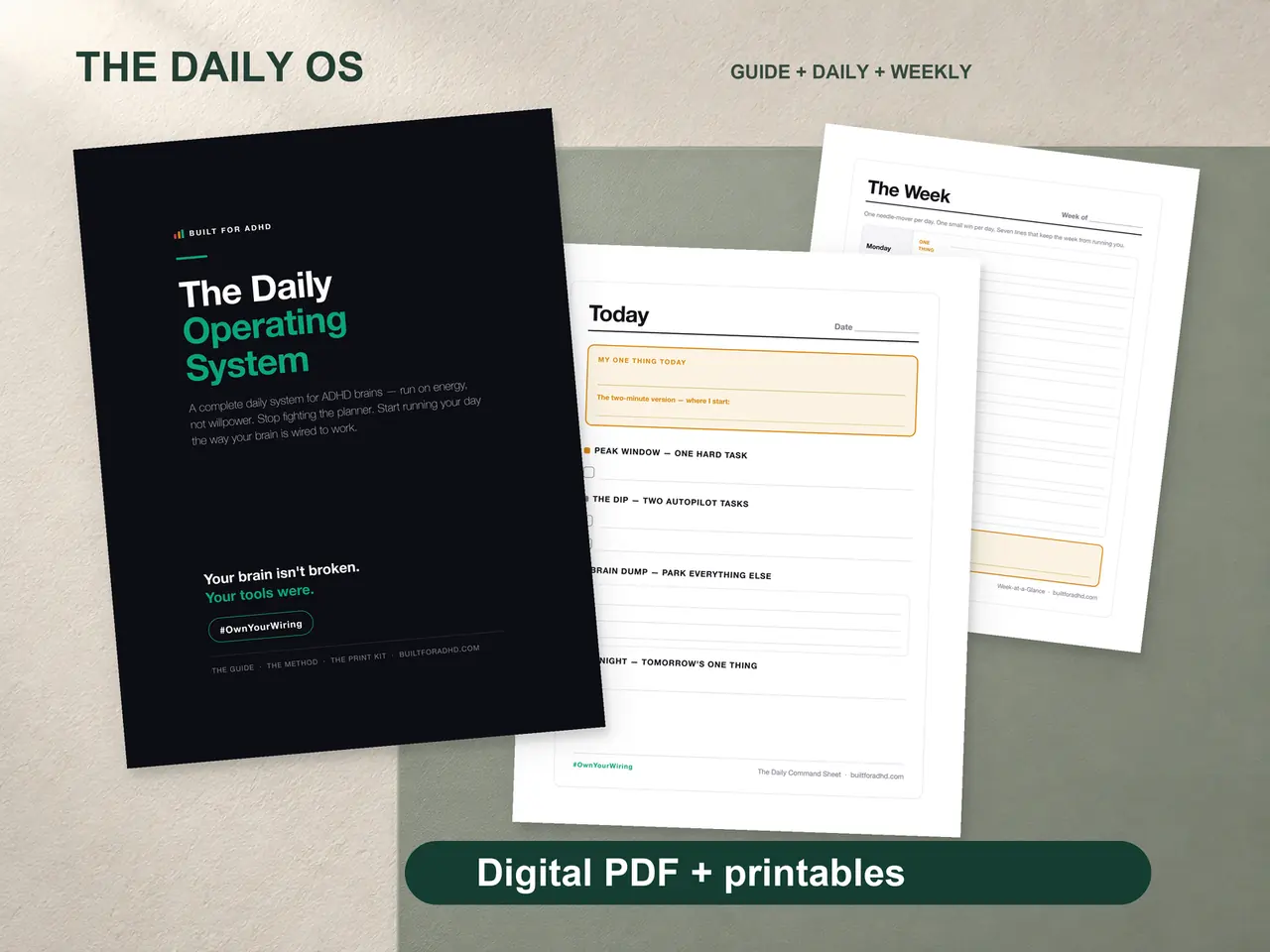
The Daily OS is the flagship from Built for ADHD and the one most people should start with. The philosophy is simple: dump everything in your head onto the page, sort by energy (not priority), and work from action cards with tiny first steps and time estimates.
What sets it apart:
- Brain dump pages — unstructured chaos capture, no categories
- Energy sort — Do Today / This Week / Someday / Delete
- Action cards — built from your Do Today list with first steps and time estimates
- Done List page — a running record of what you finished, filled in by hand
- Designed PDF guide + workbook + print-and-keep pages, built for ADHD brains specifically
For Money Management: Budget Reset
Price: $7 | Best for: Anyone whose bank account feels like a horror movie
The Budget Reset solves the #1 problem with budgeting apps: categories. You don’t agonize over categories — you log what you spent into simple buckets, including a dedicated “ADHD Tax” space for impulse buys, late fees, and forgotten subscriptions.
Standout features:
- Money dump — zero-friction logging, no categories required
- ADHD Tax tracking — see the real cost of impulse spending
- Impulse log — track what you DIDN’T buy and watch savings grow
- Subscription audit — find the $50-200/month in forgotten subscriptions
For Daily Focus: Hyperfocus Playbook
Price: $9 | Best for: Anyone whose attention is either all-in or nowhere
The Hyperfocus Playbook is a guide and workbook for channeling ADHD hyperfocus on purpose instead of by accident. Setup prompts, a session log, and print-and-keep pages you can pin where you work.
For the Whole Household: Family Command Center
Price: $19 | Best for: Moms and parents managing ADHD + kids + everything
The Family Command Center replaces hour-by-hour scheduling with energy blocks (Morning / Afternoon / Evening). Includes per-kid pages, a meal-planning section with a favorites bank, a brain dump for the mental load, and a self-care tracker that’s checkboxes, not guilt.
For Deadlines: the Daily OS deadline pages (part of Daily OS, $17)
Best for: Anyone who panics AND procrastinates simultaneously
The deadline pages are part of the Daily OS — not a separate product — and add a reverse-engineering workflow: take a due date, work backwards, and break the project into daily tasks with built-in buffer time. A daily page shows only today’s tasks, a done tracker shows progress, and a triage page helps you ship the minimum viable version when you’re down to the wire.
The Bundle Play
If you need more than one, the bundles save money:
- Life System Bundle — the core productivity and money set for $37
- Ultimate Everything Bundle — every product, every bonus, for $67
Every product is an instant PDF download — guide, workbook, and print-and-keep pages — with emailed links and a 30-day money-back guarantee.
Bottom Line
Stop paying for apps that’ll guilt-trip you with notifications. Stop building Notion dashboards you’ll never reopen. Stop copying spreadsheets you’ll abandon by day 5.
A designed PDF is yours forever, works on any device, prints on any printer, and doesn’t require maintenance. The right one is the only ADHD planner you’ll actually use.
Start with the Daily OS. It’s the foundation everything else builds on. And if you want the full picture before choosing, read the complete guide to ADHD tools for adults.