Most ADHD advice for adults is recycled from strategies designed for children, dressed up with adult vocabulary. “Use a planner!” as if you haven’t tried twelve. “Set reminders!” as if you haven’t set so many that you now ignore all of them. “Break tasks into smaller steps!” as if the problem was ever not knowing what to do, rather than not being able to start doing it.
Adult ADHD is a different animal. You’re not struggling in a classroom with a teacher watching. You’re managing a career, bills, relationships, health, a household, and your own mental health with a brain that processes time differently, prioritizes inconsistently, and finds “just get started” to be the least helpful advice in existence.
You need tools designed for that reality.
Which Problem Do You Actually Have?
Before you look at a single tool, name the actual problem. “ADHD tools” is not one category — it’s at least four different jobs, and the tool that fixes one does nothing for the others. Most “best ADHD apps” roundups just list fifteen options in a row (ADDA’s own guide is a good example) — useful once you already know which problem you’re solving, useless before that. Here are the four doors. Walk through the one that’s loudest for you right now.
“I sit down and nothing happens.” That’s task initiation, not laziness — the freeze between deciding to do something and actually doing it. The fix isn’t a better to-do list; it’s something that shrinks the first move down to almost nothing. That category is body doubling — working alongside someone, or something, that’s simply present — plus a tiny, no-pressure first step small enough to feel silly. It’s one of the ADHD community’s most documented tools (ADDA has its own writeup of the practice). Start with what body doubling actually is and how to try it.
“I lose entire afternoons and don’t know where they went.” That’s time blindness — an hour and a half feel identical until the deadline is suddenly standing over you. Researcher Russell Barkley attributes this to what he calls a “timing circuit” in the brain that ADHD disrupts, which is one reason external, visible time works better than trying to feel time internally. The category here is anything that makes time visible instead of asking you to feel it: visual timers, calendars with real time blocks, systems built around the clock you can’t sense. See ADHD time blindness tools.
“I forget everything unless it’s already in front of me.” Working memory is where ADHD hits hardest, and the fix is a capture system — one trusted place everything goes so your brain doesn’t have to keep holding it. Start with a brain dump template and build from there.
“I can’t filter out noise, and it wrecks my focus.” Sensory filtering is its own executive function, separate from attention itself, and no amount of willpower substitutes for actually reducing the input. The category is environment tools — noise-cancelling headphones, a quieter room, fewer competing channels. Read what actually helps with ADHD sensory overload.
Most people are living in two or three of these doors at once, and that’s normal, not a sign you’re more broken than the next person. Pick the one costing you the most this week and start there — the table below sorts every tool on this page by which door it opens.
ADHD Tools for Adults at a Glance
Every tool below is sorted by which door it opens, not by category. The paper and PDF tools are ours; the rest are neutral third-party options, included because they’re genuinely useful, not because we sell them.
| Which door | Tool | Free or paid | Format | Best for |
|---|---|---|---|---|
| Can’t start | Body doubling (a friend, or Focusmate) | Free tier (3 sessions/week), paid from $8/mo | App | Breaking the freeze on one specific task |
| Can’t start | AI body double (ChatGPT or Claude, configured) | Free | AI | Task initiation at 11 PM when nobody’s around |
| Can’t start | Tiny first step method | Free | Guide | Turning “I should” into the first two minutes |
| Lose time | Visual timer | Paid, roughly $15–30 | Gadget | Making a block of time visible instead of abstract |
| Lose time | ADHD Daily Operating System | Paid, $17 | Paper / PDF | Sorting a day by energy instead of the clock |
| Lose time | Calendar with real time blocks | Free | App | Giving an appointment a shape you can actually see |
| Forget everything | Brain dump template | Free | Paper | Getting the doom pile out of your head onto one page |
| Forget everything | ADHD Command Center | Paid, $19 | Paper / PDF | One posted place for what keeps slipping |
| Forget everything | Goblin Tools (Magic ToDo) | Free, Pro optional | AI app | Breaking a vague task into steps small enough to start |
| Can’t filter noise | Noise-cancelling headphones | Paid | Gadget | Removing the “is it quiet enough” decision entirely |
| Can’t filter noise | Reading ruler or line guide | Paid, low cost | Gadget | Keeping your eyes from sliding to the next paragraph |
| Can’t filter noise | Flow Club | Free trial, then $40/mo | App | Structured virtual coworking with a facilitator |
| Money and impulse | ADHD Budget Reset | Paid, $7 | Paper / PDF | The pause between wanting and buying |
| Any of the above | ChatGPT or Claude, configured once | Free | AI | General external executive function across all four doors |
| Household visibility | Whiteboard | Paid, low cost | Gadget | A command board everyone in the house actually sees |
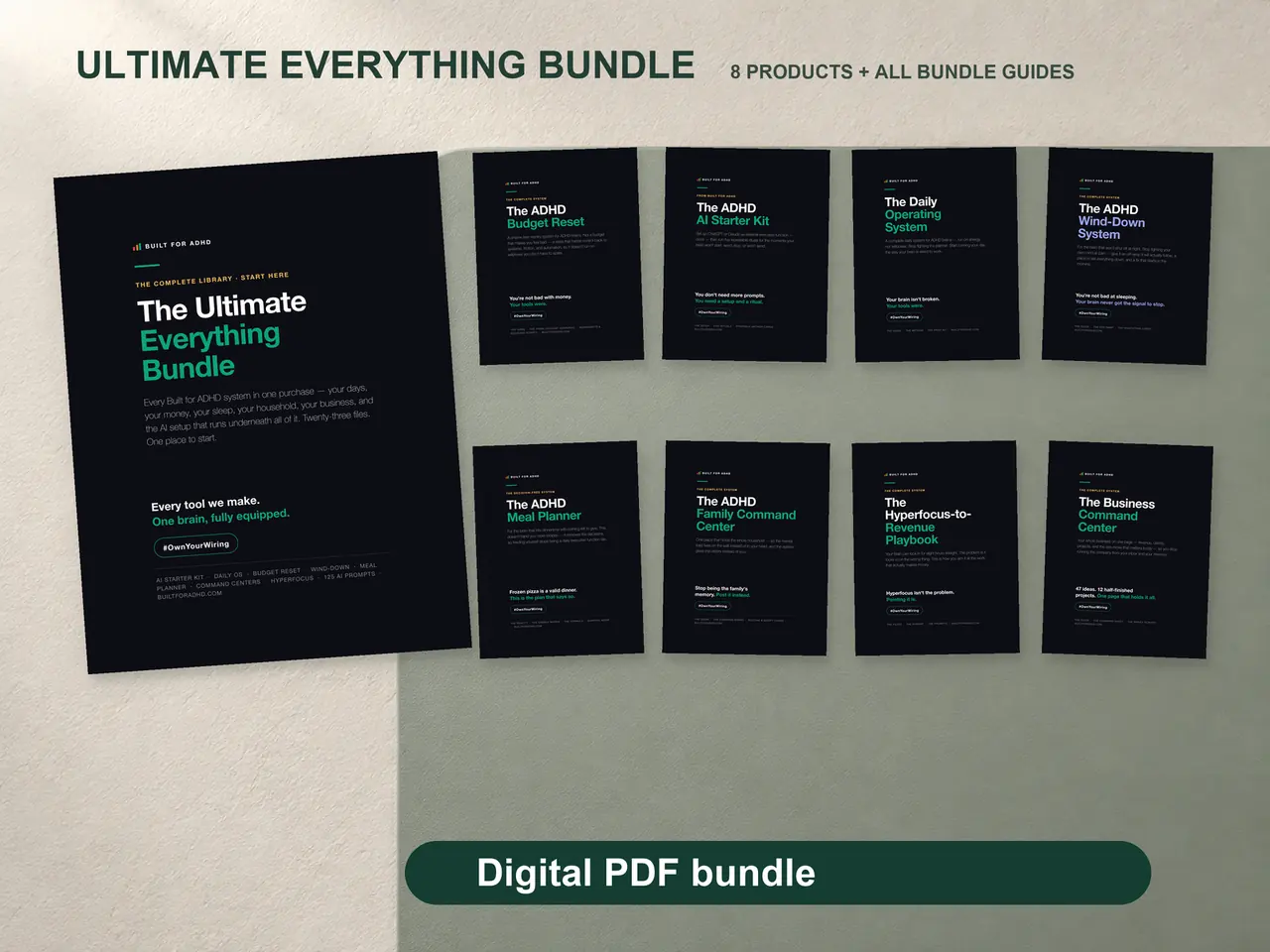
| Want it all in one place | Ultimate Everything Bundle | Paid, $67 | PDF bundle | Every paper and PDF tool above, minus the gadgets |
Why Most Productivity Tools Fail ADHD Adults
The productivity industry is built for neurotypical brains. Every app, every method, every template assumes you can self-regulate attention, maintain consistent motivation, and follow through on plans without external accountability. When those tools don’t work for you, the implication is clear: you’re the problem.
You’re not the problem. The tools are.
Here’s what neurotypical tools assume that ADHD brains can’t deliver. They assume you’ll check the app daily without being reminded.
The tools that actually work for ADHD adults are built on different assumptions entirely. (We wrote a full breakdown of why every productivity system fails ADHD brains if you want the deeper dive. And if the thing derailing your systems is less about time and more about how hard feedback lands, start with what RSD actually feels like — emotional load is executive load.)
The Four Qualities of Tools That Stick
The tools that hold up long-term and the ones that fizzle after the novelty period follow a clear pattern.
Zero-friction entry. The tool must be usable within seconds of opening it. No tutorials, no setup process, no onboarding flow. If your brain has to work before the tool starts working, you won’t use it on hard days. And hard days are when you need it most.
External structure that replaces internal executive function. Your brain struggles with organizing, sequencing, and prioritizing. The tool should carry that load for you. Not hand you a blank page — give you the structure already drawn. Pre-built buckets, ready-made frameworks, pages where the hard decisions are already designed in. The less your prefrontal cortex has to invent from scratch, the better.
Dopamine architecture. Neurotypical tools track what you haven’t done. ADHD tools need to celebrate what you have done. Completion feedback you can see, visible progress you fill in, small wins you mark off, permission to restart after a gap. Your brain runs on dopamine, and a tool that doesn’t provide it is a tool your brain will abandon for one that does (usually social media or impulse shopping). If you want to build that feedback deliberately rather than hope a tool supplies it, a dopamine menu is the cheapest version — a written list of the small things that actually reset you, sorted by how long they take.
Failure forgiveness. You will miss days. You will forget the tool exists for a week. The tool should welcome you back without evidence of your absence. No streak-breaking punishments, no guilt-inducing blank spaces, no “you haven’t logged in for 7 days” notifications that make you feel worse.
The Tools That Check Every Box
There’s no single perfect tool. But the most effective approach for ADHD adults is a small, unified system that covers your key friction areas without requiring you to context-switch between platforms.
The areas that create the most daily stress for ADHD adults are consistent: task capture, weekly planning, money management, deadline tracking, and impulse regulation. When those five areas have external structure, daily life gets dramatically smoother.
That system covers the same ground: an energy-based weekly planner instead of hour-by-hour blocking, a simple budget tracker that cuts decision fatigue instead of adding to it, a deadline reverse-engineering tool, and an impulse buy checklist for the pause between wanting and buying.
If you only want the daily layer of that — capture, energy-sorted planning, and a weekly review that forgives the week you skipped — the ADHD Daily Operating System is that piece on its own. The Ultimate Bundle puts all five of those tools in one set of instant-download PDF guides — designed pages with print-and-keep workbooks. No app, no subscription, no login. No switching between platforms or maintaining five different systems. Download it, print what you want, write on it. One place for everything, designed around how ADHD executive function actually operates. And because there’s nothing to log into and nothing to nag you, there’s no abandoned-app graveyard — just pages you pick up when you need them.
AI as an ADHD Tool
AI belongs on this page as its own category, not a bullet point under “apps.” A general assistant like ChatGPT or Claude, configured once, works as external executive function — the same job a body double or a brain dump template does, just applied to task breakdown, sorting a chaotic list, and drafting the email you’ve rewritten nine times in your head. The free tiers of both do this. You don’t need a specialized “ADHD app” to get the benefit, and you don’t need to pay for one.
The setup is what matters, not the prompt. A single custom-instructions paste tells the assistant how your brain works, so every future chat comes back already shaped for you instead of generic. The full walkthrough, including the exact paste-in blocks for both assistants, is at AI for ADHD.
The specific technique worth knowing: AI can stand in as a body double when no human is around, which solves body doubling’s actual logistics problem — nobody is available at 11 PM. You declare the task, set a return time, and the AI checks in. It’s not the same as a person in the room, but at midnight it beats no double at all. The full protocol — session contract, check-in loop, what to say — is in AI body doubling for ADHD.
Where AI stops being useful is the same place every tool on this page stops: it cannot supply the activation energy to open the tab in the first place, and a system this configurable is also one you can spend an hour tuning instead of using. AI for executive dysfunction covers exactly which parts of executive function it can offload and which it can’t.
Evidence status, honestly: this is early. A 2025 virtual-reality study found participants worked faster and reported better focus with a body double present, whether human or AI-controlled (Ara et al., 2025). A 2024 survey of 220 people who body double found some already treating AI as a stand-in when no person was available (Eagle et al., 2024). And CHADD’s own 2024 overview treats AI as a promising complement to daily ADHD management, not a proven treatment (CHADD, 2024). None of it is large-sample or long-term yet. Full sources are numbered at the end of this page.
ADHD Tools and Gadgets: What an Object Can and Cannot Do
Search “ADHD tools and gadgets for adults” and you get a wall of objects: fidget cubes, timer discs, noise-cancelling headphones, smart pens, reading rulers, color-coded everything. Some of it genuinely helps. Most of it is the research trap wearing a shopping cart.
Gadgets are good at exactly one thing: making an invisible problem physical. Here’s the honest rundown of the ones worth actually owning.
- A visual timer. Time stops being an abstraction and becomes a shrinking wedge of color you can see from across the room. It doesn’t fix time blindness — it just stops you from having to generate the estimate internally, which is the part that keeps being wrong.
- Noise-cancelling headphones. They remove a decision. The room is quiet now, no negotiating with yourself required, no waiting for the house or the office to settle down before you can start.
- A reading ruler or line guide. Narrows the page so your eyes stop sliding down to paragraph four. A bigger font and wider margins do the same job on a screen.
- A whiteboard. Puts the week somewhere your eyes hit by accident, which is the only kind of reminder an ADHD brain reliably notices. It has to live somewhere you actually walk past — a whiteboard in a closet is a $20 mistake.
- A printed sheet. No login, no notification, no app to forget exists. The lowest-friction capture object there is, which is exactly why it’s still working on the day nothing else is.
What no gadget can do is decide anything for you. No object tells you what to work on, what order to do it in, or what you’re forgetting — that’s executive function, and it’s the part ADHD taxes hardest. A drawer full of fidget tools and an expensive pair of headphones will not organize your week. That’s how the gadget graveyard happens: the objects weren’t wrong, they were just aimed at the wrong bottleneck.
So the honest order is: get the deciding out of your head first, then buy the object that removes one specific friction you’ve already identified. A visual timer earns its place. A fourth planner app does not. And the most effective focus tool on this page isn’t an object at all: body doubling for ADHD does more for task initiation than anything you can order.
Where These Tools Fall Short
Every tool on this page has a ceiling, and it’s worth naming honestly instead of pretending the right system fixes everything.
Novelty is the biggest one. Almost any new tool feels great for one to three weeks — that’s the ADHD brain responding to newness, not the tool actually working. If a system only survives the honeymoon period, it wasn’t built for you; it was just new.
No tool decides for you. A brain dump template, a visual timer, and a configured AI assistant all remove friction, but none of them tell you what actually matters this week. That’s still a judgment call only you can make, and a shelf full of tools won’t make it for you.
Apps and subscriptions add their own tax. A $10-a-month tool you open twice is worse than a free printed sheet you use daily — and the ADHD brain that forgets to cancel a trial is the same one the subscription was supposed to help.
AI has its own limits. A general assistant can break down a task and draft an email, but it can get specifics wrong, gives generic advice without the custom-instructions setup, and doesn’t know your actual calendar or workload unless you tell it. It also can’t replace a body in the room for the tasks where social presence, not information, is the thing that helps.
None of this is treatment. These are productivity tools, not clinical care — genuinely useful for the daily friction of executive dysfunction, but not a substitute for a diagnosis, therapy, or medication if that’s what you actually need. If you’re struggling beyond what a system can hold, that’s a conversation for a qualified provider, not a better app.
Start With the Corner That Hurts Most
- Your day. ADHD command center — the fastest win on this list.
- The household. ADHD household systems, for the work that resets every day.
- Dinner, every single night. ADHD meal planning — the decision you have to make at your lowest-energy hour of the day.
- Money and impulse spending. ADHD money management.
- Work. Staying productive with ADHD at work and from home.
- Running your own thing. Organization tools for the self-employed, where nobody else is holding the structure for you.
- The nights your brain won’t switch off. ADHD wind-down routine — tomorrow starts the night before, which is the part nobody tells you.
- AI as an executive-function assistant. AI for ADHD — the newest of these, and the most leverage per hour.
Or browse all ADHD tools and let the one that makes you go “oh, that’s me” pick itself.
The Tool You Use Beats the Tool You Admire
There’s a trap ADHD adults fall into constantly: researching tools instead of using them — reading reviews, comparing features, watching walkthroughs, until a two-hour session ends with nothing organized and nothing planned. The best tool is the one you’ll actually open tomorrow — not the most feature-rich or best-reviewed, just the one with the lowest barrier to using it.
Stop evaluating. Start using. Your brain has been waiting for permission to stop researching and start doing. This is that permission.
Sources
- Attention Deficit Disorder Association (ADDA). “Best ADHD Apps and Tools for Adults.” https://add.org/adhd-tools-for-adults/
- Anderson, L. “The ADHD Body Double: A Unique Tool for Getting Things Done.” ADDA. https://add.org/the-body-double/
- Sophos, S. “Harnessing Artificial Intelligence to Live Better with ADHD.” Attention Magazine, CHADD, December 2024. https://chadd.org/attention-article/harnessing-artificial-intelligence-to-live-better-with-adhd/
- Ara, Z., Rahim, I. B., Zhou, P., Yu, L., Esmaeili, B., Yu, L.-F., & Hong, S. R. “You Are Not Alone: Designing Body Doubling for ADHD in Virtual Reality.” arXiv:2509.12153, September 2025. https://arxiv.org/abs/2509.12153
- Eagle, T., Baltaxe-Admony, L. B., & Ringland, K. E. “‘It Was Something I Naturally Found Worked and Heard About Later’: An Investigation of Body Doubling with Neurodivergent Participants.” ACM Transactions on Accessible Computing, 17(3), October 2024. https://doi.org/10.1145/3689648
- ADDitude Magazine. “Executive Function: 7 ADHD Planning, Prioritizing Deficits” (citing Russell Barkley, Ph.D. on the brain’s “When Circuit” and time management), updated November 2025. https://www.additudemag.com/7-executive-function-deficits-linked-to-adhd/