You’ve probably tried budgeting apps. You downloaded Mint or YNAB or one of the dozen others that promise to transform your finances. They worked great for about a week. Then the notifications became noise, the categories became overwhelming, and the app became another icon you swipe past with a twinge of guilt.
So you searched for an ADHD budget Google Sheet instead — something free, something you could open and forget. Here’s the honest truth: a spreadsheet has the same problems as the app. You still have to build it, maintain it, open it on a screen, and stare at a grid of cells that your brain disengages from on sight. A blank Google Sheet is just as easy to abandon as a deleted app.
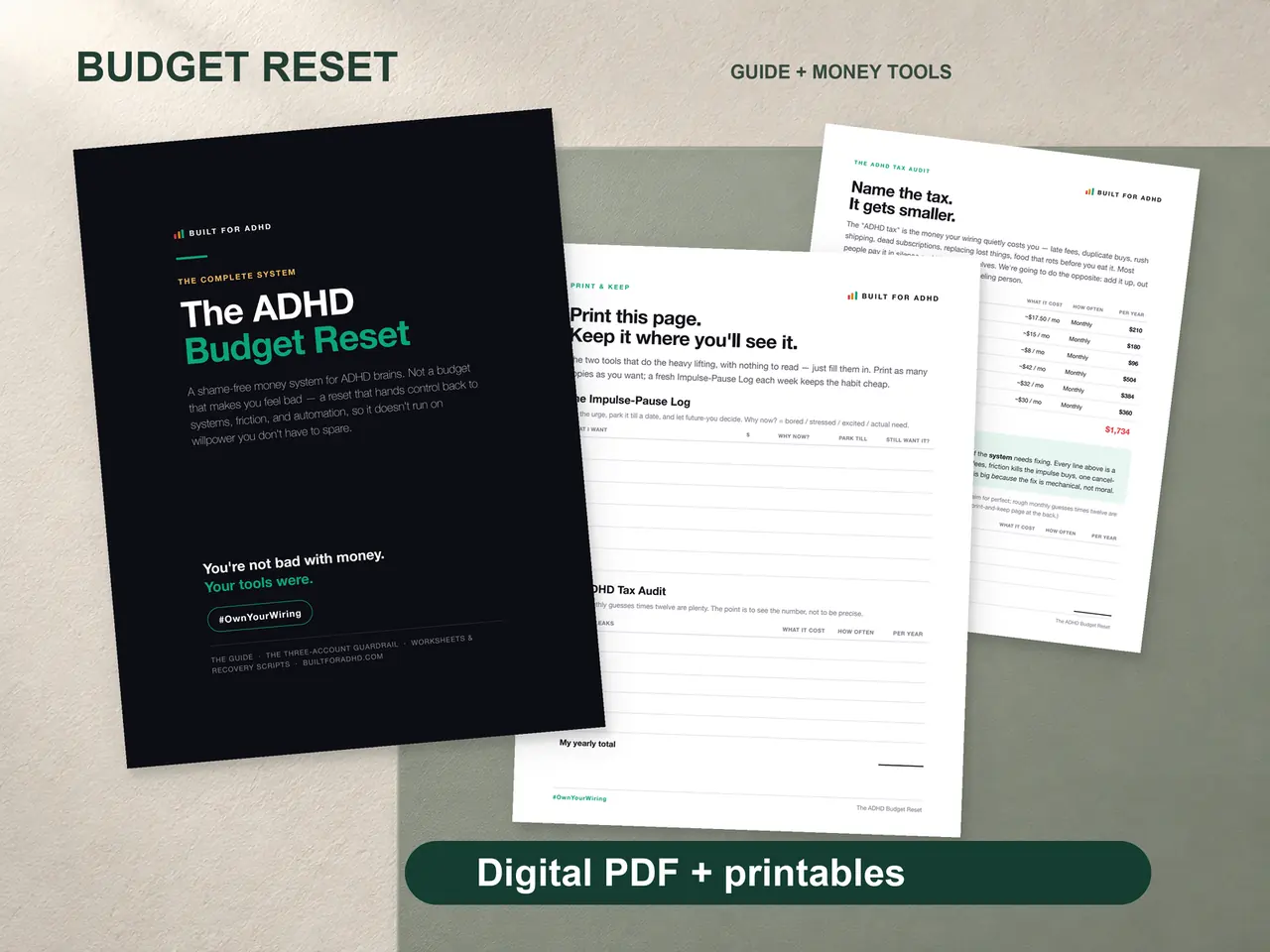
What actually works for an ADHD brain isn’t another screen. It’s a system designed for the way your brain processes money — one where logging takes seconds, the layout tells you everything at a glance, and you don’t need to remember 15 categories or build a single formula. That’s why the Built for Budget Reset is a designed PDF, not a spreadsheet: a guide, a workbook, and print-and-keep pages you can put somewhere you’ll actually see them.
Why Spreadsheets Fail ADHD Brains
The average budget spreadsheet has between 15 and 30 expense categories. Housing. Transportation. Groceries. Dining Out. Entertainment. Personal Care. Clothing. Subscriptions. And so on. Each one requires a categorization decision every time you log an expense.
For neurotypical brains, this is mildly tedious. For ADHD brains, each categorization decision costs executive function energy. After three or four entries, you’re mentally exhausted by the process — not the information, just the process of sorting it. So you stop logging. And a budget you don’t log into isn’t a budget. It’s a fantasy document.
The other killer is the screen itself. A spreadsheet lives behind an app, a login, and a wall of cells you have to interpret. Your ADHD brain sees that grid and immediately disengages. It needs something simpler and more physical — the same reason a sticky note on the fridge beats a buried tab you forgot existed.
Four Principles for an ADHD-Friendly Budget
1. Logging should take under 10 seconds. If writing down a purchase takes longer than unlocking your phone, you won’t do it consistently. The Money Dump page solves this — just the amount and a quick note. No dropdowns, no category selections, no date formatting. Write it and move on.
2. Three categories replace thirty. Needs. Wants. ADHD Tax. That’s the whole framework. When a purchase comes in, you drop it in one of three buckets. You stop spending mental energy on decisions that don’t matter and start seeing the numbers that do.
3. Print it, don’t bury it. A budget hidden in a spreadsheet tab is a budget you forget. Print-and-keep pages live on your desk, your fridge, your wall — wherever your eyes already go. Physical and visible beats digital and buried every time for an ADHD brain.
4. No app, no setup, no maintenance. The best budget tool is the one with zero barriers. This is a PDF — it opens on any device, prints on any printer, and needs no account, no subscription, and nothing to build. When you buy coffee, you jot it down before the barista finishes making it. That immediacy is critical for ADHD — if you have to “remember to log it later,” it’s already gone.
The Subscription Leak
Here’s something a good ADHD budget system catches that apps miss: subscription creep. You signed up for a free trial, forgot to cancel, and now you’re paying $12.99/month for a meditation app you used twice. Multiply that by the five or six forgotten subscriptions hiding in your bank statement and you’re bleeding $50-100/month invisibly.
The subscription audit page walks you through listing every recurring charge with its annual cost. Seeing that you’re paying $156/year for something you used in January and never again — that creates the motivation to cancel. Writing the annual number down makes small monthly amounts feel real.
Your ADHD Budget, Without the Spreadsheet
The Budget Reset brings all of this together in one designed PDF. The Money Dump page is your landing zone — just amounts and quick notes, no decisions required. The 3-category framework sorts everything into Needs, Wants, and ADHD Tax. The print-and-keep monthly pages give you something physical your brain can read in seconds.
It’s an instant download. No app to install, no account to create, no spreadsheet to build, no subscription to forget about. It opens on your laptop, your phone, your tablet, and prints to whatever pages you want to keep nearby. Yours forever.
At $7 one time, there are no recurring charges to forget and no annual renewal to miss. Just a system that works the way your brain does — fast, simple, and forgiving.
Stop fighting your brain with spreadsheets designed for someone else’s. Get a system built for yours. #OwnYourWiring.