In this article
I had a dentist appointment at 3 PM. I woke up at seven. That is eight hours of daylight before a forty-minute cleaning, and I produced, by my own honest count, nothing.
Not nothing in the dramatic sense. I made coffee. I answered two emails that did not need answering. I read most of a long article about freight logistics (I do not work in freight, or logistics). At 2:35 I left the house, got the cleaning, came home at 4:10, and then sat down and did not work then either, because by that point the day had the texture of an evening.
One appointment. Whole day gone. And the part that used to make me furious with myself is that I knew the appointment was at 3. I had eight hours of warning. If anything the warning made it worse.
This has a name in the ADHD community, and the name is the most useful thing about it: waiting mode. Once you can call it that, you can plan around it. Before that, it just reads as a day you wasted on purpose.
What waiting mode actually is
Waiting mode is what happens when one fixed point on the calendar makes every hour around it unusable.
The mechanism is simpler than it feels from the inside. Starting anything real means loading it — getting the context in your head, finding where you left off, building up enough momentum that the work starts moving on its own. That load-in is expensive, and an ADHD brain pays a steep version of the bill. So some part of you runs the math: is there enough runway here to be worth the load-in?
And when there’s a hard edge at 3 PM, the answer comes back no. Not because seven hours isn’t enough time — it obviously is. Because the part of you doing the estimating cannot feel the difference between seven hours and twenty minutes when there’s an interruption sitting at the end of both. Time blindness is usually described as losing track of time, but this is the other face of it: a block of time that is genuinely large reads as too small to start in.
So you don’t start. You do things that can be abandoned at any second without cost — scrolling, snacking, tabs, the freight article. Those aren’t failures of willpower. They are exactly the correct behavior for someone who believes they have no usable runway. The belief is the problem, not the behavior.
Why the after-side disappears too
Here’s the part nobody warns you about. Waiting mode doesn’t end when the appointment ends.
I came home at 4:10 with two and a half solid hours available and treated them like the dregs of the day, because the appointment had already been filed as The Thing That Happened Today. One event, and the whole day is spent. That’s not laziness either — it’s a ledger problem. Your brain closed the books early.
So a single forty-minute obligation converts into roughly eight unusable hours: six before, two after. That’s the real cost, and it’s why “just one appointment” weeks feel so much heavier than the calendar says they should.
The waiting-day block
The fix is not discipline and it is not getting better at starting. It’s refusing to let the day stay shapeless, by writing its actual shape down before it begins. Four lines, on paper, in about ninety seconds.
Line 1 — the real edge. Not the appointment time. The leave time, plus however long it takes you to become a person who can leave. Mine is the appointment minus thirty-five minutes (the extra time is not for traffic, it is for finding my keys). Write that number. Writing it gets it out of the background, where it was quietly consuming the whole morning.
Line 2 — what’s actually in there. Count the hours between now and the real edge, and say the number out loud. Seven hours. Not “the morning.” Not “before the dentist.” Seven hours. This sounds like a therapy exercise and it is not — it’s a correction to a bad estimate, and saying the number is what breaks the “no runway” read.
Line 3 — one thing that fits. Pick a single task you can finish inside the usable window, and pick it from the low-and-medium-energy end of your list, not the top. The job of a waiting day is not to be your best day. It’s to not be a zero. A task you can actually close before the edge beats an ambitious one you’ll abandon at 2:30 and feel bad about.
Line 4 — one thing for after. This is the line that saves the back half. Name it in the morning, while the day is still open, because at 4:10 you will not have the executive function to choose. Make it smaller than the morning task. Mine is usually a single email or a fifteen-minute cleanup — enough to reopen the ledger without needing a fresh load-in.
That’s the whole artifact. Edge, hours, one before, one after.
The rules that keep it from falling apart
Pick the after-task before you leave, not when you get back. This is the single rule I’d keep if I could only keep one. Choosing is the expensive part, and post-appointment you are not solvent.
Anything that can’t be finished before the edge is not eligible. Not “I’ll make progress on it.” Waiting mode is fed by open loops, and starting something you can’t close hands it more fuel. Save those for a day with no hard edges in it.
One task, not three. A list of three on a waiting day is how you end up doing zero. Sorting by energy instead of by importance is what makes the single pick obvious instead of agonizing.
Give the dead time a floor, not a ban. You are going to scroll some of those seven hours. Decide that it happens after the one thing is closed, and then genuinely let it happen without a lecture. A rule you can keep beats a rule you break by 9:40 (the relief of having permission is real).
Check what time your edge actually is. Afternoon appointments are the expensive ones, because they sit right where the energy drop already lives. When you get to choose the slot, take the first appointment of the day — it costs you one hour instead of eight. This is the cheapest fix in the whole post and it’s a scheduling decision, not a willpower one.
What not to do
Don’t try to fill the whole waiting window. The failure mode here is overcorrecting — you read something like this, you decide the seven hours are all usable, you plan six tasks, and you finish none of them. Then waiting mode has evidence that it was right all along.
And don’t reverse-engineer this one like a deadline. An appointment isn’t a deliverable with milestones. There’s nothing to work backward from except the leave time, and you already wrote that on line 1.
Do this today
If there’s one thing on your calendar tomorrow, write the four lines tonight. Real edge, hour count, one before, one after. Put the paper where you’ll see it before your phone.
Then run it once and notice the actual outcome, which is not a productive day. It’s a day that produced something — and that’s the thing waiting mode has been quietly taking. If that single-pick habit keeps collapsing under a list that’s too long, the reason is usually the system, not you, and a task list built for abandonment is the repair. A blank one-page sheet to write tonight’s four lines on is in the free adults starter.
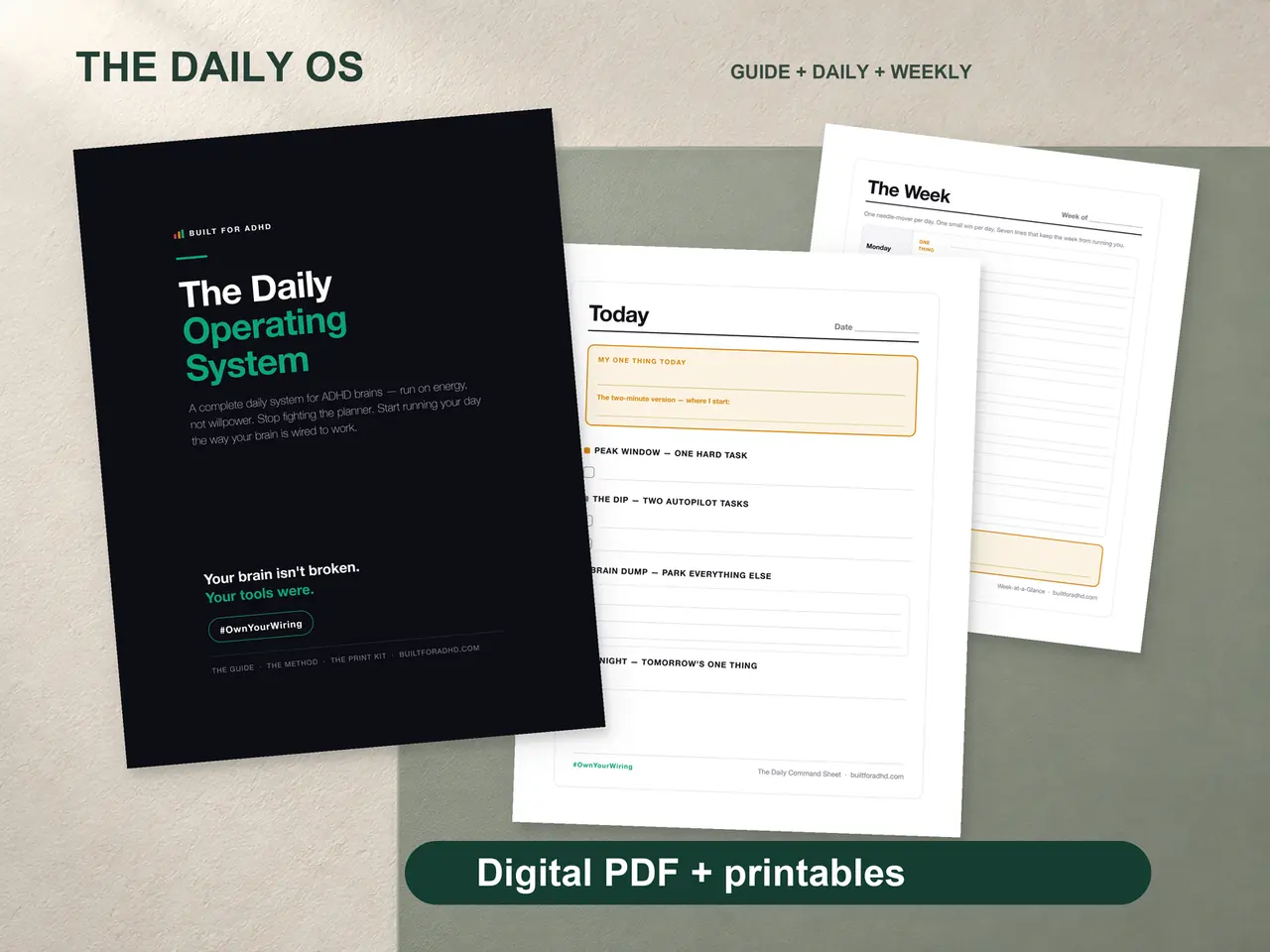
When the four lines start wanting a permanent home — an energy-sorted list to pick from, a morning loop that sets the day’s shape, a restart for the weeks you drop it — the ADHD Daily Operating System is the paper system I keep mine in, $17 once. Honest note: it’s a day-planning system, not a waiting-mode cure. It won’t make the hours before an appointment feel longer. It just means the one thing is already picked when you go looking for it.
Related tools
- ADHD time blindness and how to fix it — the estimate problem underneath waiting mode
- Energy-based task management — how to make the single pick obvious
- The ADHD afternoon crash — why afternoon edges cost the most
- Meeting deadlines by reverse-engineering them — for real deliverables, not appointments
- Why every productivity system fails ADHD brains — if the one-thing rule keeps collapsing
- A task management template that actually works — a list built to be abandoned and resumed
- The free adults starter — a one-page sheet for tonight’s four lines