In this article
I can talk faster than I can organize a sentence. That’s not a flaw, it’s just how the wiring runs, and it’s why ChatGPT’s voice mode has quietly become the interface I reach for before the keyboard. Voice mode is the real-time, talk-and-listen conversation in the ChatGPT app — not the microphone icon that turns speech into typed text, which is a separate feature called dictation — and for an ADHD brain it removes the one step that kills more tasks than the task itself: getting a first sentence onto a blank page. New to the territory? The AI for ADHD hub is the map; this post is one tool on it.
Why voice is the lowest-friction interface this brain has
Typing has a toll booth built in: pick a first word, spell it, line it up under the last one, watch the cursor blink while your brain wanders to the dishwasher. Voice skips all of it — you open your mouth and the thought is already moving, with no formatting step between having the idea and getting it heard.
It also talks back. A text box is one-directional and silent, fine for an organized mind and useless for one that needs a little friction to stay in the room. A voice conversation has turns, asks a follow-up, and reduces cognitive overload the way a good coworker does — by holding half the working-memory load in the conversation instead of in your head.
Hands-free capture while you’re moving
The clearest use case never makes it into the marketing copy: you’re not at a desk. You’re driving, walking the dog, doing dishes, and a thought arrives you’ll lose in four minutes flat. Open voice mode, say it out loud, done — no unlocking a notes app, no typing with wet hands. Capture happens at the speed of the thought instead of the speed of your thumbs, which is the whole difference between a system you use and one you meant to.
The body-double check-in loop, by voice
Body doubling — working alongside a presence that would notice if you wandered off — is one of the few ADHD strategies that reliably works, and voice is the lowest-friction way to run it. Earbuds in, declare the session out loud, let check-ins arrive as a voice instead of a notification you’ll swipe away unread: “Body double me through the kitchen for twenty minutes, check in every five, one question only” — then start. No typing, no tab, no screen to get pulled into mid-task.
I’ve written the full body-doubling protocol already, voice variant included — the session contract, what a check-in should sound like, and the research behind why an artificial presence holds up better than you’d expect. This post is the interface; that one’s the ritual.
The “narrate the task” trick
You can talk through a task while doing it, not just before. Standing at the counter that’s become a landing strip for everything you didn’t want to deal with: “Walk me through this with me — I’m looking at mail, a charger, a coffee cup, and I don’t know where to start.” Voice mode responds in real time, you narrate what you’re seeing and doing, and the back-and-forth keeps you in motion instead of standing there deciding. It’s a body double that can also answer questions.
Where voice is worse than typing
I’d rather name the limits than sell past them. Voice is bad at anything you need to read back — a list you’ll reference an hour later, a paragraph for an email, exact numbers or spellings. It’s tuned for compact spoken exchanges, not for pasting in a long document or holding a precise list after the conversation ends. It also needs a place you can actually talk out loud, which rules out open offices and waiting rooms. When any of that’s true, switch to typing or to plain dictation into the message box instead — same mouth, different tool, and that post covers talking it out as if it were a tutor, then editing what comes back.
How to turn it on
In the ChatGPT app, tap and hold the microphone button to start a live conversation; release when you’re done and it answers out loud. No settings menu, no account change. Claude’s equivalent: tap the sound-wave icon next to the microphone on mobile, or the sound-wave symbol in the lower right of the chat window on web and desktop — available on every plan, including free. Both free tiers get you real voice access; paid plans just extend how much of it you get in a day.
Start with one loop
Don’t rebuild your whole day around this. Pick one moment — the drive home, the dishes, the walk — and talk into it once. If capture-while-moving is costing you the most, fix that loop first. For stuck moments voice mode doesn’t solve alone, the free prompt pack has twenty-five more, and the Brain Dump Sorter will sort whatever you talked or typed your way through.
Stop re-explaining your brain every session
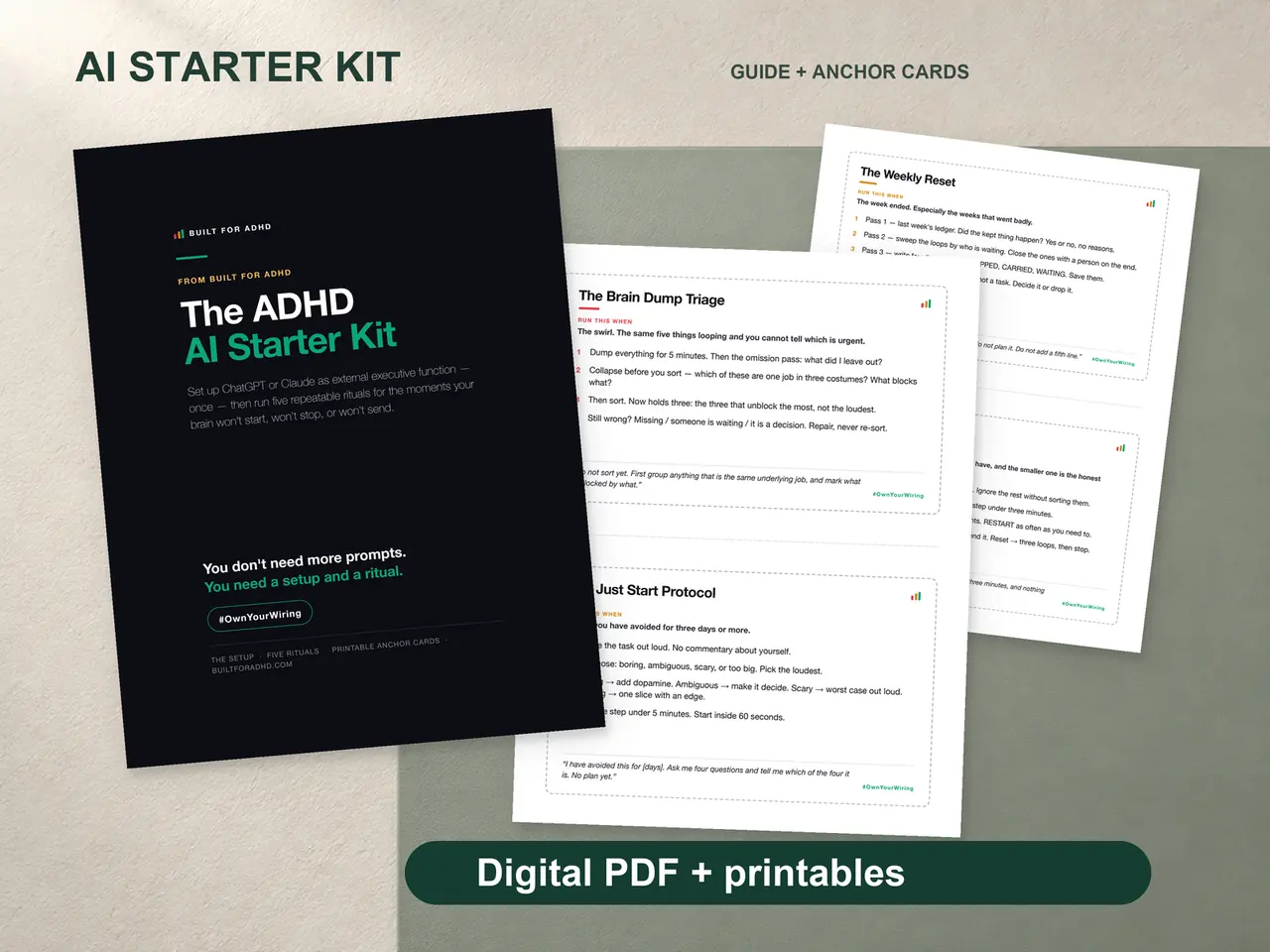
The setup above still asks you to remember a few rules every time you open voice mode — “check in, don’t lecture, cap it at three.” The ADHD AI Starter Kit is the $27 one-time version of that: the paste-once instructions block for both ChatGPT and Claude, the Body Double Session written out as a ready-to-run ritual, and printed anchor cards for the days a screen is the last thing you want open. No subscription, works on free AI accounts.
FAQ
Is ChatGPT’s voice mode the same as dictation? No — dictation is the microphone icon that turns speech into editable text you review before sending; voice mode is a live spoken conversation where ChatGPT talks back in real time. Different jobs: dictation for typing without typing, voice mode for hands-free back-and-forth.
Do I need a paid plan for voice mode? No — it’s available free on both ChatGPT and Claude, with paid plans extending daily voice time rather than gating access to it.
Can voice mode work as a body double for chores? Yes — declare a short session out loud, ask for timed check-ins, and keep working without touching a screen. The full protocol is in the AI body doubling guide.
What is voice mode bad at? Anything you need to read back, reference exactly, or paste in as a long document — it’s built for short spoken exchanges, not for reviewing dense text afterward.
Does Claude have a voice mode too? Yes — the sound-wave icon in the text field on mobile, or in the chat window on web and desktop, on every plan including free.
How is this different from the voice brain dump post already on this site? That post is the ritual — talking a messy brain dump into plain dictation and getting it sorted. This is the interface underneath it — what voice mode itself is good and bad at, including jobs beyond brain-dumping like body doubling and hands-free capture.
Related
- The Voice Brain Dump — the ritual, using plain dictation
- AI Body Doubling for ADHD — the full protocol, including the voice-mode variant
- Claude for ADHD — the setup guide for Claude’s side of this
- The free Brain Dump Sorter — paste or dictate, get it sorted
- The AI for ADHD hub — every setup guide, technique, and honest review in one place
Sources
- OpenAI, “ChatGPT Voice” — https://help.openai.com/en/articles/8400625-voice-mode-faq
- OpenAI, “Voice Dictation FAQ” — https://help.openai.com/en/articles/12168547-voice-dictation-faq
- OpenAI, “Advanced Voice Mode FAQ” — https://help.openai.com/en/articles/9617425-advanced-voice-mode-faq
- Anthropic, “Use voice mode” — https://support.claude.com/en/articles/11101966-use-voice-mode