In this article
Body doubling is one of the few ADHD strategies that feels like a cheat code the first time it works: another person sits nearby doing their own thing, and suddenly the task you couldn’t start for three days is… happening. No advice, no accountability speech. Just presence.
One problem. It’s 11 PM, the tax thing is due, and there is no human being on earth you’re going to call to watch you do paperwork.
That’s the gap AI body doubling fills — and done right, it keeps a surprising amount of what makes the human version work. Done wrong, it’s just you procrastinating in a chat window with extra steps. This post is the difference. (It’s also one of the five core rituals in the ADHD AI Starter Kit, which we’ll get to — and if body doubling itself is new to you, the full explainer is here.)
Why presence works on an ADHD brain
Nobody fully agrees on the mechanism, but the working explanation goes like this: another person’s presence provides gentle external accountability (someone would notice if you wandered off), a mild social stake that raises the task’s urgency above zero, and an anchor that keeps pulling your attention back to the room. None of it is supervision. All of it is scaffolding — the initiation and persistence your executive function struggles to self-generate, borrowed from the mere existence of a witness.
The honest question: how much of that survives when the witness is a language model that cannot actually see you?
There’s now actual research on this, and it’s worth being precise about what it says instead of rounding it up. A 2025 study (Ara et al., arXiv:2509.12153) put 12 participants through a VR construction task — alone, with a human double, and with an AI double — and found faster completion and better sustained attention with either double compared to working alone. The important caveat: that’s a virtual-reality companion in a headset, not a chatbot in a text window, so it’s evidence for the presence half of body doubling, not a direct test of the text-and-voice version this post is about. Closer to home, a separate 2025 diary study followed 13 adults with ADHD using ChatGPT for a week and found it working as coping and communication support — not framed as body doubling specifically, but the closest look yet at how people actually lean on a chat AI day to day.
As of 2026 the direct evidence on body doubling for ADHD is early-stage and small-sample; what exists points the same direction the community landed on years ago. That’s not proof. It’s early signal lining up with years of practice, which is a reasonable place to build a habit from — just not a place to oversell.
Less than a human coworking session in some ways — let’s not oversell it. But more than you’d think, for one specific reason: the accountability in body doubling was always partly a story you told yourself. The stranger at the coffee shop wasn’t really monitoring your spreadsheet either. What mattered was that you’d declared the session — out loud, to someone — and that a check-in was coming. Declaration and check-ins are exactly what an AI can hold for you, at 11 PM, for free, with infinite patience.
The structure that makes it work
The failure mode is treating the AI like a companion to chat with. Chat is the enemy — every message you exchange about the work is time not spent doing it. What you want is a session with rules. Here’s the shape:
1. Declare the contract. Open with something like: “You’re my body double for the next 45 minutes. My task: draft the two client emails I’ve been avoiding. Check in on me every 15 minutes — one short question, nothing else. If I tell you I’ve drifted, help me name the next physical action and send me back. Don’t offer advice unless I ask.”
The declaration is doing real work. You’ve said the task out loud, sized the session, and created the expectation of a check-in. That’s the accountability story, installed.
2. Do the first tiny action immediately. Before the AI even responds to your opener, start — open the document, type the first sentence. The session begins at the first action, not at the end of a warm-up conversation. (If you can’t find a first action small enough, that’s a different problem with its own fix.)
3. Check-ins are one line, both directions. “Still on the emails?” — “Yes, one drafted.” Done, back to work. If the answer is “no, I’ve been reorganizing my downloads folder,” the AI’s one job is to ask: what’s the next physical action on the emails? Name it, do it. No analysis of why you drifted. Drift analysis is a procrastination genre.
4. Close the loop. At time, report what happened and let it reflect one sentence of the finish-line feeling back at you. Small dopamine, honestly earned, and it makes the next session easier to start because the last one has a recorded ending.
The voice-mode variant (for tasks away from the keyboard)
The text version assumes you’re at a screen. Half of ADHD avoidance isn’t — it’s dishes, laundry mountain, the doom pile of mail. For those, run the same contract in voice mode: earbuds in, declare the session out loud (“Body double me through the kitchen — check in every ten minutes, one question”), and narrate as you go. Talking keeps the verbal channel busy so the wander-off impulse has less bandwidth, the check-ins arrive without you touching anything, and finishing gets witnessed. It’s the lowest-friction body double that exists — no typing, no tab, no desk — and it’s free on both major assistants.
Claude vs. ChatGPT as a body double
Both work. Neither has an “ADHD mode” — you’re assembling the setup yourself either way. Here’s what each is actually built to do for this specific use.
Voice mode, both sides. Claude’s voice mode is in beta and available on every plan — Free, Pro, Max, Team, Enterprise — on Claude Mobile (iOS and Android), Claude Desktop, and the web, though it’s built to work best from your phone. ChatGPT’s voice mode is available in the desktop app on macOS and Windows plus mobile, with the underlying model and some capabilities gated by plan tier. Either one covers the walking-around, hands-full version of this — dishes, laundry, the doom pile — the same way the voice-mode variant above already describes.
The standing session contract. This is the part you don’t want to retype every time. Claude Projects let you set standing instructions and upload files for a workspace — paste your body-double contract once as a Project’s instructions, and every new chat inside it already knows the rules. It’s available on the free plan (capped at five Projects). ChatGPT’s equivalent is memory: it can save details you tell it to remember, or pick up on some automatically, and carry them into every new conversation until you delete them or turn memory off. Different mechanism, same goal — say it once, not every session.
Check-ins without you watching the clock. ChatGPT has scheduled tasks: recurring or one-time jobs it runs and messages you about, with free accounts getting a handful of active tasks on flexible windows (morning, afternoon, night) and paid tiers getting more slots and exact-time scheduling. That’s the closest either assistant gets to initiating a check-in instead of waiting for you to ask — useful if your failure mode is forgetting the session is even running. Claude doesn’t have a public scheduled-task equivalent as of this writing, so a Claude session’s check-ins still rely on you setting a timer and returning to the chat, or asking it to check in “every 15 minutes” within a single open session.
The practical split: if you already live in ChatGPT, its memory plus scheduled tasks gets you closer to a body double that pings you unprompted. If you already live in Claude, Projects gets you a room that never forgets the rules, but you’re still the one setting the timer.
Three session openers you can paste
For a 25-minute desk task. “Act as my virtual body double for the next 25 minutes. My task: [name it]. Check in once, halfway through, with one short question — nothing else. If I tell you I’ve drifted, help me name the next physical action and send me back. I feel frozen right now, so start by giving me one tiny, no-pressure first step before anything else.”
For a kitchen or cleaning session, voice mode. “Body double me through the kitchen for the next 20 minutes — voice mode, earbuds in. Tell me what to clean first, then check in to make sure I’m staying on track every five minutes with one quick question. When I say I’m done, I just finished, hype me up a little — then let it end there.”
For a 3 AM admin task. “It’s the middle of the night and I need to get through [task] without waking anyone up. Be my body double so I can ask the same question at 3am without burdening my people — declare the session, check in every 10 minutes, one line each way, no lectures if I’ve drifted. So I don’t have to re-explain my brain every time, just hold the structure.”
Where it beats the human version — and where it doesn’t
Beats it: available at any hour, zero social battery cost, no scheduling, no guilt about wasting anyone’s time, and you can be embarrassingly honest (“I have been avoiding a two-line email for six days”) without managing anyone’s reaction — which matters more than it should if rejection sensitivity is part of your picture.
Doesn’t: there’s no real witness, and some brains need the actual social stake — if you’ve body-doubled with a friend and the magic was specifically them, the AI version will feel thin. It also can’t see you, so the check-ins only work if you answer them honestly. And the obvious hygiene note: it’s a text window — don’t paste in anything you wouldn’t want in a chat log, and know that a language model is a focus tool here, not a therapist or a crisis resource.
The practical answer for most people is both: humans when you can get them, AI for the 11 PM sessions and the tasks too boring to invite anyone to. If “humans when you can get them” means paying a platform to supply one, the body doubling apps comparison covers what each is bad at, and Focusmate vs Flow Club settles the two names you’ll hit first. Remote workers have their own version of this problem — no office, no borrowed momentum — and that’s body doubling while working from home.
When it backfires
AI body doubling has failure modes that look like progress while they’re happening, which makes them worse than an obviously-wasted session.
The rabbit hole. You open a chat to declare a 25-minute session and forty minutes later you’re deep in a tangent about something the AI said, nowhere near the task. Do you get lost in too many ADHD rabbit holes when you talk to AI? This is the most common version of it — the tool that’s supposed to hold structure becomes the distraction, because chat is infinitely interesting and your task probably isn’t.
Drift analysis as procrastination. You drift off-task, notice it, and then spend the check-in explaining why you drifted — the meeting that’s stressing you out, the thing your brain keeps circling back to. That conversation feels productive. It is not the task. The fix from the original protocol still holds: one line, name the next physical action, go. Analysis of the drift is a different activity wearing the same clothes.
“Shouldn’t I be able to do this alone?” This shows up around the third or fourth AI session, same as it does with a human double. It’s not evidence you’re failing — it’s scaffolding matched to how your attention actually works, and some tasks will always go better with a double.
Dependency. The realistic risk isn’t “the AI does the work for you” — body doubling by definition doesn’t do the task. It’s leaning on the check-in structure so heavily that starting anything without it feels impossible, including tasks you used to manage solo. If you notice that happening, try the same task with the timer but no AI present first, before deciding you need the session every time.
What to do instead of any of the above: keep sessions short (25 minutes, not open-ended), keep check-ins to one line each way, and if a session turns into a conversation twice in a row, that’s the signal to switch to a human double or a silent study-with-me video for a while — not evidence the method is broken.
Stop re-explaining your brain every session
Here’s the tax on all AI-for-ADHD strategies: the setup. Explaining, every single time, that you need small steps, no lectures, no shame when you report drifting, check-ins that don’t turn into conversations. By the time you’ve configured your body double, the initiation window has closed.
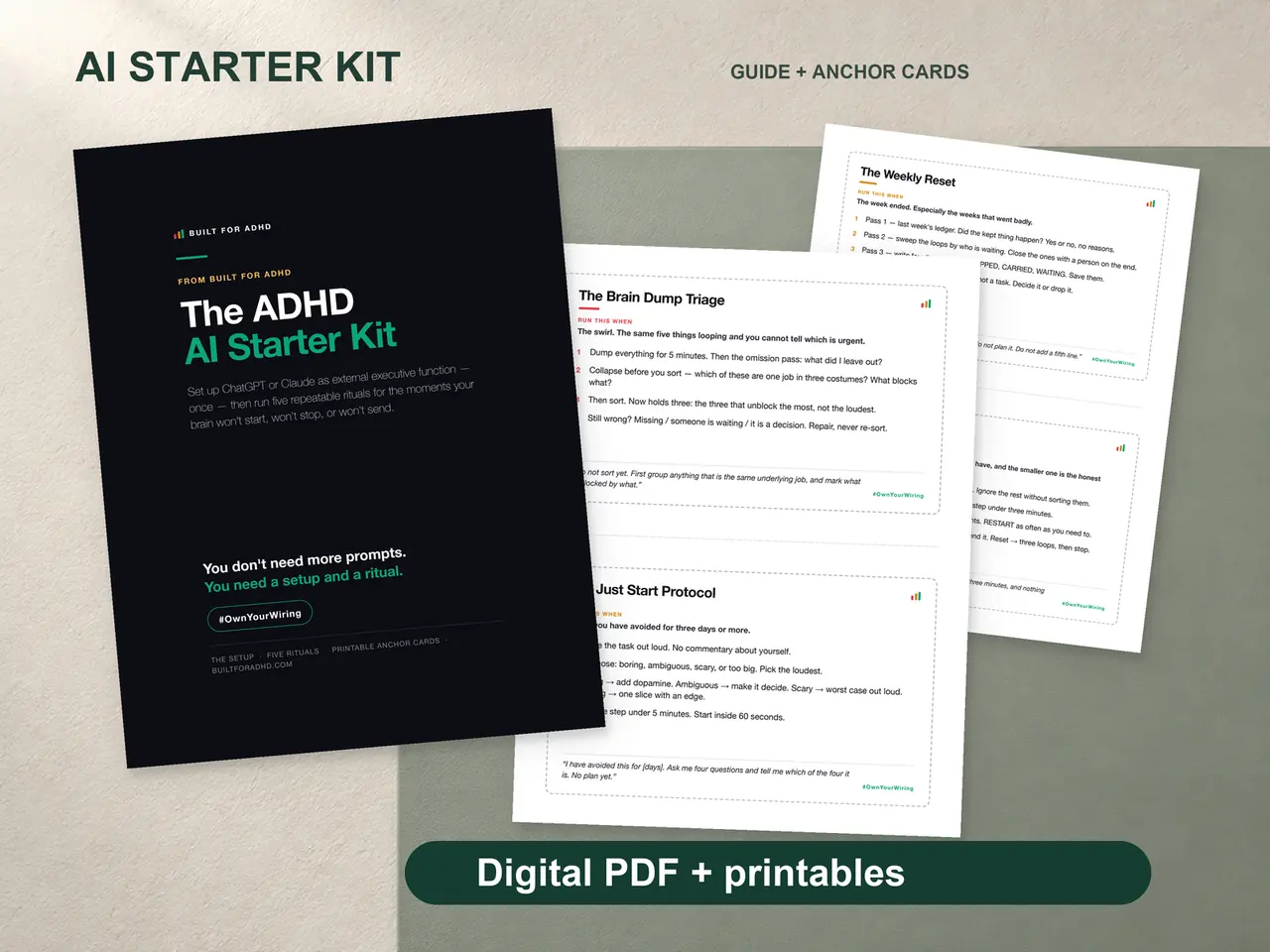
That’s the problem the ADHD AI Starter Kit exists to solve — a $27 one-time kit with the paste-once setup block that teaches ChatGPT or Claude how your brain works, the Body Double Session as a ready-to-run ritual (plus four more for the other jobs that break ADHD days), and printable anchor cards so the session structure survives the tab closing. No subscription, no app. If you want to feel the general approach first, the free 25-prompt pack is the sampler, and the hub guide to AI tools for ADHD maps the whole territory.
Tonight’s version can be even simpler: pick one avoided task, open a chat, declare a 25-minute session with one check-in, and start before you finish reading this sentence.
Related tools
- What is body doubling? — the human version, explained
- Body doubling apps for ADHD — Focusmate, Flow Club, Caveday and the free options, compared honestly
- Body doubling while working from home — the remote-work version, including what to tell your manager
- ChatGPT custom instructions for ADHD — the setup that makes sessions start faster
- AI tools for ADHD — the full map of what helps and what’s hype
- The free Brain Dump Sorter — AI triage for the everything-swirl, no account needed
- ADHD AI Starter Kit — $27: the setup block, five rituals, anchor cards
- The AI for ADHD hub — every setup guide, technique, and honest review in one place
Sources
- Ara, Z., Rahim, I. B., Zhou, P., Yu, L., Esmaeili, B., Yu, L.-F., & Hong, S. R. (2025). “You Are Not Alone: Designing Body Doubling for ADHD in Virtual Reality.” arXiv:2509.12153. https://arxiv.org/abs/2509.12153
- “‘A little bit of a life raft’ – Exploring the Use and Experiences of ChatGPT as a Support Tool among Adults with ADHD.” OzCHI 2025. https://doi.org/10.1145/3764687.3764713 (abstract via ACM)
- Claude Help Center. “What are Projects?” https://support.claude.com/en/articles/9517075-what-are-projects
- Claude Help Center. “Using voice mode on Claude.” https://support.claude.com/en/articles/11101966-using-voice-mode-on-claude-mobile-apps
- OpenAI Help Center. “Memory FAQ.” https://help.openai.com/en/articles/8590148-memory-faq
- OpenAI Help Center. “Scheduled tasks in ChatGPT.” https://help.openai.com/en/articles/10291617-scheduled-tasks-in-chatgpt
- OpenAI Help Center. “Voice Mode FAQ.” https://help.openai.com/en/articles/8400625-voice-mode-faq