In this article
Here’s the direct answer, because you searched a specific thing: yes, you can configure ChatGPT once — in Settings → Personalization → Custom Instructions — so new chats have an ADHD-friendly starting point: short, structured, action-first, no lectures. You paste a block describing how your brain works and how you want answers formatted. Two minutes of setup; check the first answers and adjust when it misses.
The reason this matters more than any prompt list: prompts are things you have to remember to use. An ADHD brain forgets the prompt library exists by Thursday. Custom instructions give new chats a standing starting point, so you do not have to restate the setup every time; the model can still miss or misapply an instruction. If you want help writing the block, the free custom-instructions builder walks you through it.
What goes in the box (the starter block)
ChatGPT gives you two fields: what should ChatGPT know about you and how should ChatGPT respond. Here’s a starter block you can paste today:
Field 1 — about you:
I have ADHD. That means: task initiation is my hardest step, not knowing what to do. My working memory drops things, so anything important must be written, not remembered. Long unstructured text loses me. Vague plans (“later this week”) functionally don’t exist for me — I need a specific next action. I am not lazy and I don’t need motivation speeches; I need structure.
Field 2 — how to respond:
Lead with the answer or the action, never background first. Maximum 3 action items at a time — if there are more, hold them until I finish these. Always end with ONE specific “do this next” step small enough to start in under 2 minutes. Use numbered lists and bold lead-ins. No pep talks, no “you’ve got this,” no summarizing what I just said back to me. If I’m spiraling or rabbitholing, say so plainly and pull me back to the current task.
That’s the free 80%. It changes the texture of every conversation you’ll ever have with the thing.
Why does this work so well for ADHD brains?
Because it moves the executive function outside your head. Every “answer in 3 steps max” you’d normally have to remember to ask for can live in the setup, ready to reuse in new chats. The same principle as posting a routine on the wall instead of storing it in a parent’s memory: the system holds the structure so you don’t have to. (And unlike a human assistant, it has infinite patience for the seventh rephrase of the same question at 1 AM.)
The part almost nobody sets up: memory lines
Custom instructions shape how ChatGPT talks. Memory (Settings → Personalization → Memory) shapes what it knows about your patterns across chats. Most people let memory accumulate randomly. Instead, teach it deliberately — say these in any chat:
- “Remember: when I estimate time for a task, double it before planning around it.” (Time blindness insurance — why that’s necessary.)
- “Remember: if I say I’ll do something ‘later’ without a day attached, ask me to pick a day.”
- “Remember: I work in 25-minute sprints. When I plan with you, chunk work into sprints, not hours.”
- “Remember: when I’m avoiding a task, the problem is starting, not knowing how. Give me a 2-minute first step, not a better plan.”
Four sentences, said once. From then on, plans come back pre-shaped to your actual brain.
The same setup on Claude and Gemini
ChatGPT’s version is above (see the ChatGPT for ADHD guide if you haven’t set it up). The same move exists on Claude and Gemini, in one field instead of two.
| Model | Where the block goes | Applies to which chats | Free tier? |
|---|---|---|---|
| ChatGPT | Settings → Personalization → Custom Instructions (mobile: Customize ChatGPT), plus Memory | Every new chat when enabled | Yes — Free/Go 1,500 characters; Plus/Pro and other paid tiers 5,000 in the cited Help Center guidance |
| Claude | Instructions for Claude; or a Project’s instructions | Everywhere, or just that Project | Yes — Projects capped at 5 free |
| Gemini | Settings & help → Personal Intelligence → Instructions for Gemini | New chats when the setting applies | Yes on eligible personal accounts |
Claude — Settings → Instructions for Claude:
I have ADHD. Task initiation is my hardest step — lead with the answer, never background first. Working memory drops things, so write anything important down. Long text loses me: numbered lists, bold lead-ins, max 3 items at a time. Vague plans like “later this week” don’t function — end with one small next step under 2 minutes. No pep talks. If I’m spiraling or rabbitholing, say so and pull me back.
Gemini — Personal Intelligence → Instructions for Gemini:
I have ADHD. Task initiation is my hardest step — lead with the answer, never background first. Working memory drops things, so write down anything important. Long text loses me: numbered lists, bold lead-ins, max 3 items at a time. Vague plans like “later this week” don’t function — pin things to a day, and end with one small next step under 2 minutes. No pep talks. If I’m spiraling or rabbitholing, say so and pull me back.
Claude and Gemini use one box; ChatGPT splits it into two. More on Claude’s Projects: the Claude guide. Where Gemini fits day to day: the Gemini guide.
Line by line: why each sentence is there
Every sentence answers a specific ADHD mechanism. Here’s the map, so you can adapt the wording without breaking what it does.
| Mechanism | Sentence(s) it’s handling | Without it |
|---|---|---|
| Task initiation — starting is its own executive function | ”Task initiation is my hardest step” · “Lead with the answer” | A correct answer with no way in |
| Working memory — holds new information while you act on it | ”Working memory drops things” · “Long text loses me” · “Max 3 items” | The plan gets lost, or re-triggers the overwhelm you came to escape |
| Time blindness — trouble sensing how much time has passed | ”Vague plans (‘later this week’) functionally don’t exist for me" | "Later” gets no start date and never gets a slot |
| Rejection sensitive dysphoria — pre-empting the “just lazy” verdict | ”I am not lazy… I need structure” | Generic advice reads as a verdict, and you close the chat |
| No-lecture — cheerleading doesn’t move ADHD motivation | ”No pep talks… no summarizing what I just said” | The encouragement becomes filler to scroll past |
| Hyperfocus and rabbitholing — attention that won’t disengage | ”If I’m spiraling or rabbitholing, say so and pull me back” | You surface hours later, having solved the wrong problem |
Add-on lines by how you’re stuck
Paste one onto Field 2 (or the Claude/Gemini box) when a stuck state keeps repeating, adapted from the stuck-state prompt library into standing instructions. ChatGPT’s 1,500-character free cap is nearly full after the starter block — pick one or two, not all five. Want one prompt instead? The prompt picker does it in two taps.
Can’t start:
Skip the “why” and skip the plan. Give me one physical action under 2 minutes that counts as starting, then wait for me to report back.
Can’t sort:
Sort what I dump into TODAY (max 3), THIS WEEK, LATER, and IGNORE — things that are anxiety, not tasks. Then give me the first two-minute action for the top TODAY item.
Can’t stop:
Before anything that could turn into a rabbithole, ask what I actually need and why. If I drift, say so and ask if I want to park it instead of answering.
Can’t send:
When I paste a message I’ve rewritten too many times, point out the concrete evidence for and against sending it, then give me one direct, warm version. Do not diagnose my feelings or label them; help me choose a next action.
Can’t decide:
Ask me the two questions that actually matter, then make the call and tell me why in two sentences. Hold your position unless I give you genuinely new information.
When it backfires, and the one-line fix
No setup is perfect. Here’s what goes wrong once it’s live, and the line that fixes it.
Too terse to be useful. “Lead with the answer” can tip into guessing. Fix — add: “If you don’t have enough for one solid answer, ask a clarifying question first. Don’t compress a guess.”
Drifts back to default in a long chat. Instructions fade after enough messages. Fix — start a fresh chat instead of fighting a wandering one, or say: “Re-read my custom instructions before your next answer.”
Memory saves something wrong. A one-off comment gets stored as a standing fact. Fix — say “Forget what you remember about [topic],” or delete it in Settings → Personalization → Memory → Manage, then restate it once.
Loses the human touch on emotional topics. “No pep talks” is wrong when you’re venting, not sorting a task. Fix — add: “Except when I’m upset — skip the structure and just talk to me like a person first.”
Common questions
Does this work on the free plan? Yes — the cited Help Center guidance lists Custom Instructions on ChatGPT’s free plan with a 1,500-character limit (paid tiers have 5,000), and the setup described here is also available on Claude and Gemini’s free personal tiers. No subscription required, which matters when every ADHD tool wants $15/month.
What about Claude? Same concept, different location — Claude’s setup is arguably better for ongoing work like a weekly reset.
Will it stop being sycophantic? Mostly — the “no pep talks” line does the work. If it slips, reply “re-read my custom instructions.” In a long chat, a fresh chat resets it faster.
Is this the same as a custom ADHD-coach GPT? No — the paste-in block is portable and applies everywhere, no room to remember. A narrow assistant is still worth building for one repeated job — see Custom GPT for ADHD.
Does this work on Gemini too? The same kind of block can be adapted for Instructions for Gemini on eligible personal accounts, and Gemini’s Gems are on the free tier too (Google’s own plan table lists them for accounts without a Google AI plan). See the Gemini setup guide.
Do custom instructions leak into chats you share, or stay private? They stay private — these are account-level settings, not part of the conversation, so a shared link shows only that thread’s messages. Claude’s help center confirms a shared link shows only “the conversation and Claude’s responses”; OpenAI’s Custom Instructions page says it plainly: “Your instructions won’t be shared with shared link viewers.” The caveat: whatever you typed into that chat is still visible, because you wrote it.
Where this goes next
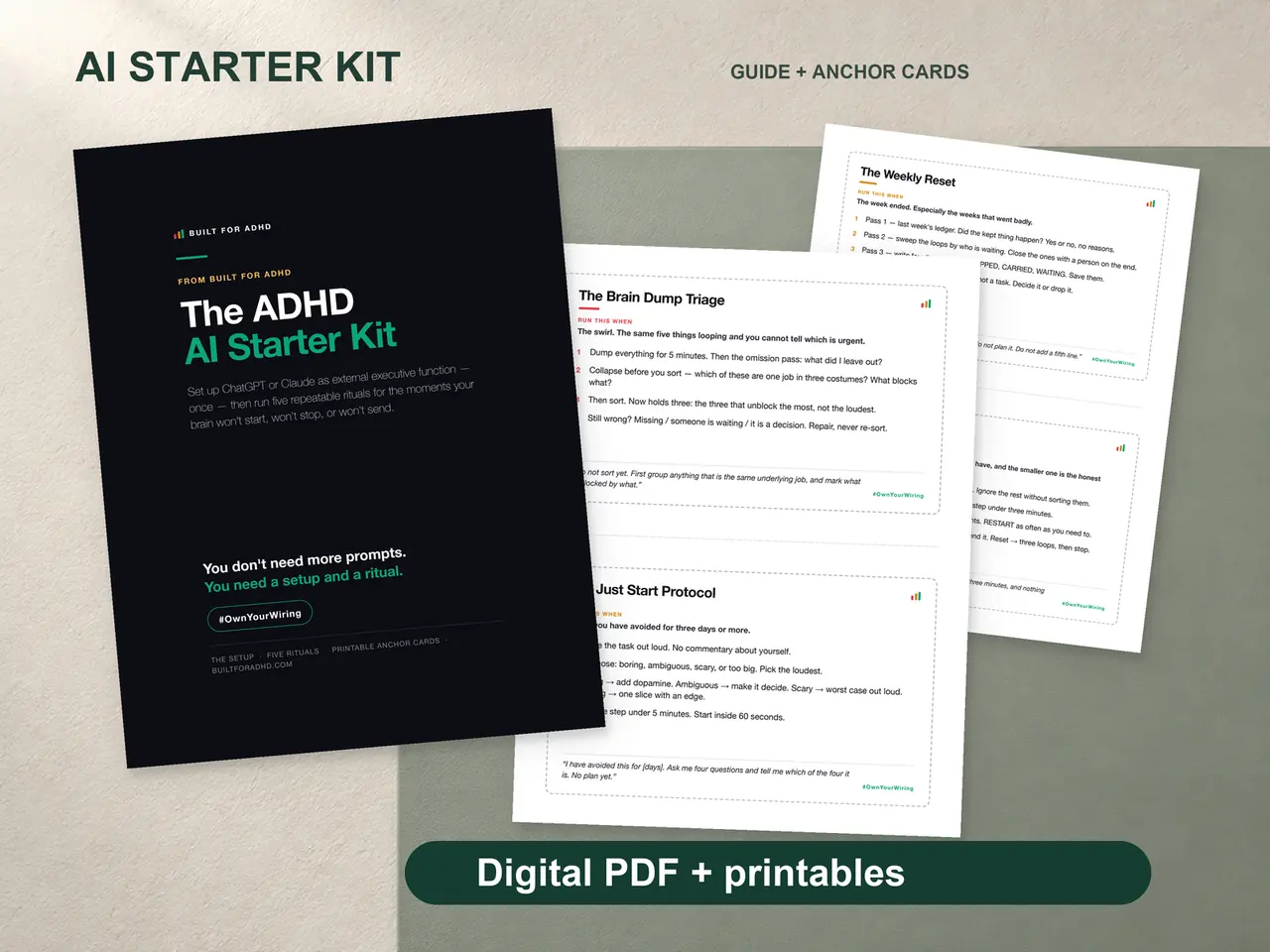
The block above is the starter version. The full version — the one that turns ChatGPT or Claude into something closer to an external executive function than a chatbot — is longer: it encodes your energy patterns, your RSD triggers for message-drafting, your shutdown ritual, and it comes with five repeatable rituals (morning triage, the Just Start Protocol, the body double session, the RSD-safe send, the weekly reset) plus printed anchor cards so the system survives the weeks you avoid screens. That’s the four-piece ADHD AI Starter Kit — $27 once, with the prompt pack, ChatGPT/Claude/Gemini Setup Pack, and plain-words agent guide included.
Want to test the water first? The free ADHD AI prompt pack has the most-used prompts ready to paste.
Sources
- OpenAI Help Center, “ChatGPT Custom Instructions” — https://help.openai.com/en/articles/8096356-chatgpt-custom-instructions
- OpenAI Help Center, “Memory FAQ” — https://help.openai.com/en/articles/8590148-memory-faq
- OpenAI Help Center, “ChatGPT shared links” — https://help.openai.com/en/articles/7925741-chatgpt-shared-links-faq
- Claude Help Center, “Understanding Claude’s personalization features” — https://support.claude.com/en/articles/10185728-understanding-claude-s-personalization-features
- Claude Help Center, “What are projects?” — https://support.claude.com/en/articles/9517075-what-are-projects
- Claude Help Center, “Share and unshare chats” — https://support.claude.com/en/articles/10593882-share-and-unshare-chats
- Google, “Manage Instructions for Gemini” — https://support.google.com/gemini/answer/16598625
- Google, “Get started with Gems in Gemini Apps” — https://support.google.com/gemini/answer/15236321
- Google, “Use Gems in Gemini Apps” — https://support.google.com/gemini/answer/15146780
- Google, “Gemini Apps limits & upgrades for Google AI subscribers” (feature table: Gems available without a Google AI plan) — https://support.google.com/gemini/answer/16275805
- ADDitude, “Why Getting Started Is So Difficult for Adults with ADHD” — https://www.additudemag.com/getting-started-adhd-challenges/
- Understood.org, “What Is Working Memory?” — https://www.understood.org/en/articles/working-memory-what-it-is-and-how-it-works
- Understood.org, “ADHD and Time Blindness” — https://www.understood.org/en/articles/adhd-time-blindness
- ADDitude, “RSD: Meaning of Rejection Sensitive Dysphoria, ADHD Link” — https://www.additudemag.com/rejection-sensitive-dysphoria-and-adhd/
- CHADD, “Hyperfocus in College Students with ADHD” — https://chadd.org/attention-article/hyperfocus-in-college-students-with-adhd/
- ADDitude, “Nudge, Don’t Nag: 9 Ways to Motivate Your Child to Do Well” — https://www.additudemag.com/adhd-how-to-motivate-your-child-to-do-well/
Related tools
- ADHD AI Starter Kit — $27: the four-piece setup, rituals, prompt pack, and guides
- Free ADHD AI prompts — paste-ready starters, free
- Claude for ADHD — the same setup on Claude, plus Projects
- ChatGPT prompts for ADHD, sorted by how you’re stuck — the prompt library
- The AI for ADHD hub — every setup guide, technique, and honest review in one place