In this article
Direct answer first: yes, Claude works exceptionally well as ADHD support — arguably better than ChatGPT for working sessions and standing rituals — and you set it up in two places: a personalization block in Settings, and Projects, which turn your repeating rituals into one-click rooms. Total setup: about ten minutes, free tier included.
Everyone writes the ChatGPT version of this guide. Claude’s version barely exists, which is strange, because two of Claude’s traits map straight onto ADHD needs: it holds long working sessions without losing the thread, and its tone runs steady rather than hype — which matters more than it sounds when you’re using an AI at your most dysregulated.
Does Claude have an ADHD mode? No. A 2026 Instagram clip claiming Claude has an “ADHD Executive Function Mode” spread to hundreds of thousands of likes, but no such feature exists in Claude’s settings, help center, or product pages. What actually works — the personalization block and Projects, both covered below — you build yourself in about ten minutes. Where that claim actually came from →
Step 1: The personalization block
In Claude’s Settings, the personalization field (“What should Claude know about you?”) is where the one-time setup lives. Paste, adapted to you:
I have ADHD. Task initiation is my hardest step — when I’m stuck, give me one action under 2 minutes, not a plan. My working memory drops things: anything important gets written down, numbered, and kept short. Max 3 action items at once. Lead with the answer; background only if I ask. No pep talks, no restating my question back to me. If I’m rabbitholing or spiraling, name it plainly and pull me back. Vague time (“later”) isn’t real to me — always pin actions to a specific day or moment.
Same philosophy as the ChatGPT custom-instructions setup: move the executive function out of your head and into the environment, once. The free custom-instructions builder can help you draft the block before you paste it into Claude.
Step 2: Projects — the feature ADHD brains should be loudest about
This is where Claude pulls ahead. A Project is a workspace with its own standing instructions and files — which means your repeating rituals stop being prompts you must remember and become rooms you walk into:
- “Morning Sort” Project. Instructions: “I paste an unfiltered brain dump. Return TODAY (max 3), THIS WEEK, LATER, IGNORE, then the first 2-minute action for the top item.” Every morning: open, paste, done. No prompt recall required — the whole morning ritual, pre-installed.
- “Weekly Reset” Project. Instructions for the 15-minute Friday review: wins (no matter how small), open loops → next actions, what to drop guilt-free. The ritual can’t drift because the room holds the script.
- “Send Check” Project. The RSD-safe drafting instructions live here — paste the draft you’ve rewritten nine times, get the reality-check and the send-ready version.
- One Project per scary project. Claude holds context across the whole thing — the brief, your drafts, where you stopped. Re-entry after a week of avoidance is “what was I doing?” instead of an hour of re-reading. For an ADHD brain, cheap re-entry is the difference between resumed and abandoned.
ADHD prompts for Claude (copy, paste, go)
Projects cover the rituals you repeat. For the moments in between, these are the four prompts I reach for most, written for Claude’s style (it follows plain, direct instructions well, so no role-play preamble needed):
- Can’t start: “I’ve been avoiding [task] for [how long]. Don’t give me a plan. Give me the single smallest first action, under 2 minutes, that I can do right now.”
- Too much in my head: “Here’s everything on my mind, unsorted: [dump]. Sort it into TODAY (max 3), THIS WEEK, LATER, and NOT MINE TO CARRY. Then tell me which TODAY item to touch first.”
- Mid-task and lost the thread: “Here’s what I was working on and where I stopped: [paste]. In three lines, tell me what I was doing, what’s left, and the next concrete step.”
- Overwhelmed and shutting down: “I’m overloaded and can’t pick anything. Ask me one yes/no question at a time until we find one thing I can do in the next ten minutes.”
Any prompt you use more than twice a week should graduate into a Project’s instructions (that’s the whole trick: stop remembering prompts, start walking into rooms). More, organized by the kind of stuck you’re in: the stuck-state prompt library, which works on Claude unchanged.
You do not need to be a developer
Search “claude for adhd” right now and most of what comes back is written by developers, for developers — Claude Code workflows, terminal setups, engineering blogs. None of it applies if you don’t write code, which is most people with ADHD. Everything above this line — the personalization block, the Projects — works exactly the same whether you’ve never opened a terminal or you live in one.
The Projects above (Morning Sort, Weekly Reset, Send Check) are standing rituals, not developer tooling: you open the room, paste or talk, done. The same pattern covers the everyday stuff a normal adult actually avoids — the email that’s been sitting unread for six days gets its own “Send Check” pass before it goes out; the Sunday-night dread spiral gets contained inside “Weekly Reset” instead of spilling into Monday.
Memory, where Claude has rolled it out, adds a second layer on top of Projects: Claude can retain facts across separate conversations — not just inside one Project — so a fact you mentioned in an unrelated chat two weeks ago doesn’t have to be re-explained from scratch. It’s on by default for Free, Pro, and Max accounts on the web, Claude Desktop, and Claude Mobile; it does not extend to Claude Code or the API, which matters only if you’re the kind of person reading the next section.
The Claude mobile app (iOS and Android) plus voice mode — beta, available on every plan including Free — cover the moments a laptop can’t: talking through a spiral on a walk, dictating a brain dump from the car before it evaporates, checking your Morning Sort Project from your phone before you’re even out of bed. None of this requires touching a line of code.
If you do write code with ADHD
If you are a developer, the “claude for adhd” search results that already exist are worth reading — Claude Code specifically gets used as what one developer blog calls an executive-function prosthetic: task decomposition, context that persists through a session, and a CLAUDE.md file that holds the project’s rules so you don’t have to reconstruct them after every context switch. That’s a real, verified use of the tool, and a separate product from the claude.ai chat interface everything above this section describes.
One honest caution, because we said we would give you those: hyperfocus and an always-available coding agent are a bad combination for some ADHD brains. “One more prompt, one more refactor” at 1am is a real failure mode, not a hypothetical one — the same trait that makes Claude Code useful, it never gets tired of your tangents, can also keep you in the chair past the point that’s good for you. We cover that risk in more depth here → — it’s written about ChatGPT, but the compulsive-use pattern is the same regardless of which model is running.
What Claude is specifically good at for this brain
Long working sessions. Claude comfortably holds a big messy context — the whole brain dump, the full document, the sprawling plan — without losing early details. That suits the ADHD work pattern of one long body-double session over many tiny check-ins.
The steady voice. Claude defaults to calm and direct over exclamation points. When you’re using an AI mid-shutdown, tone is not cosmetic — cheerleading reads as pressure, and pressure feeds the freeze.
It pushes back. Claude will tell you the plan is overloaded or the worry isn’t a task. An assistant that only agrees is a rabbithole amplifier; one that says “that’s item 9, you said max 3” is executive function.
Claude vs. ChatGPT for ADHD — the honest call
Both work. Configure whichever you already open daily — the graveyard test outranks feature lists. Differences that actually matter here: ChatGPT’s voice mode is stronger for talk-don’t-type capture and walking-around body doubling; Claude’s Projects are stronger for standing rituals, and its long-context steadiness is stronger for deep sessions. Plenty of people run exactly that split: voice capture on one, working rooms on the other. Both setups take ten minutes and the free tiers are enough to find out.
FAQ
Does this work on Claude’s free plan? Yes — personalization and Projects are available free; limits are generous enough for daily rituals. (Fun fact: you’re reading a guide produced by a business that runs its own operations on Claude. We’re not neutral about the model, but the setup above is just true.)
Is there an “ADHD mode”? No, and you don’t need one — the personalization block is the ADHD mode, tuned to your actual brain instead of a generic one.
What about prompts? The stuck-state library works on Claude unchanged — and the ones you use weekly should graduate into Project instructions so you never paste them again.
The full system
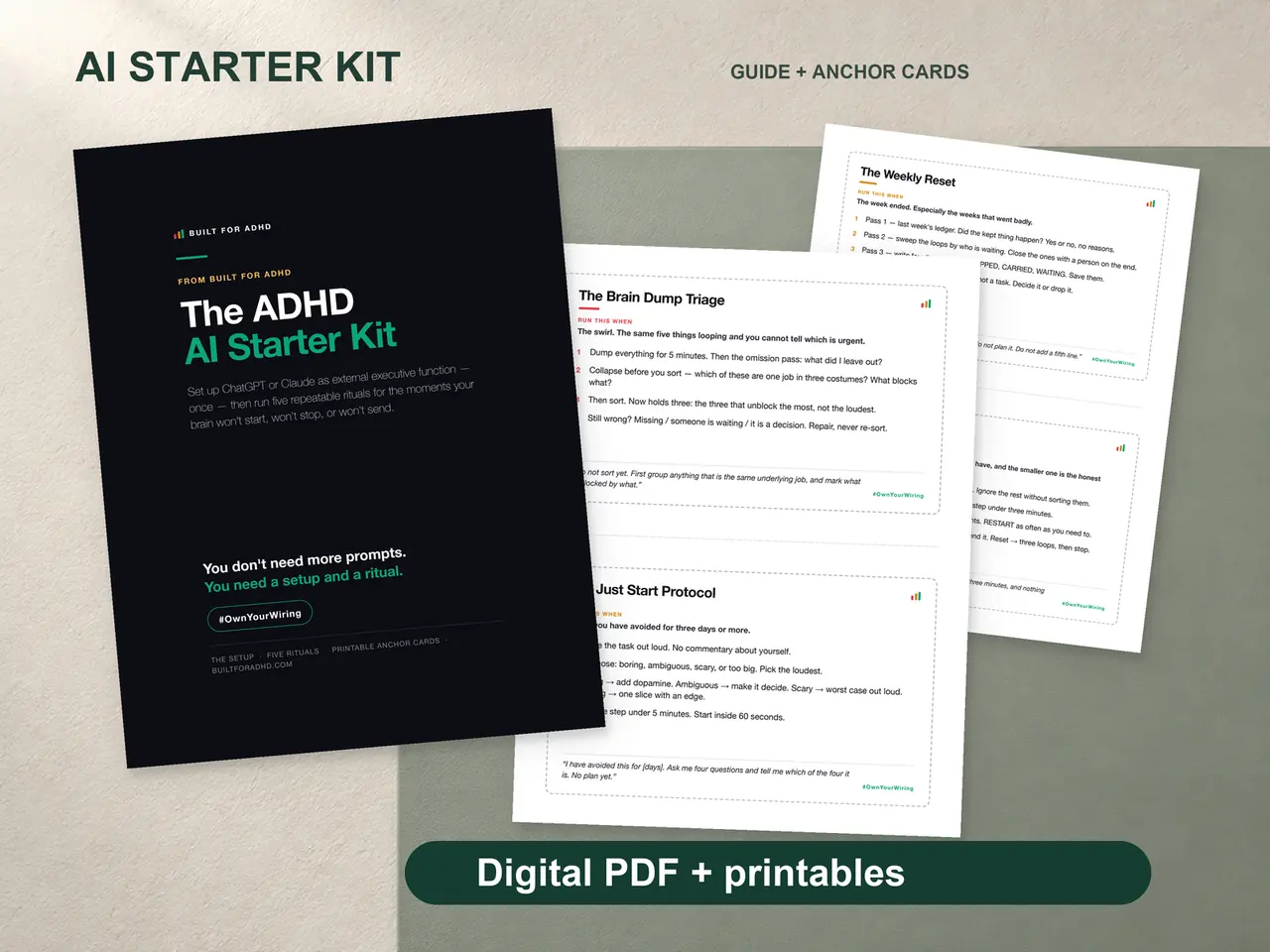
The four-piece ADHD AI Starter Kit ships the ChatGPT/Claude/Gemini Setup Pack, the five rituals as ready-to-paste Project instructions, printed anchor cards, the 50-prompt pack, and a plain-words agent guide. $27 once, works entirely on free AI accounts. The free taste: the ADHD AI prompt pack.
Related tools
- Does Claude have an ADHD mode? — the viral claim, checked against the actual product
- Does ChatGPT make ADHD worse? — the compulsive-use risk, honestly
- ChatGPT custom instructions for ADHD — the sibling setup
- AI for executive dysfunction — what AI can and can’t offload, function by function
- ChatGPT prompts for ADHD, by stuck state — works on Claude as-is
- ADHD AI Starter Kit — $27: the four-piece setup, rituals, prompt pack, and guides
- The AI for ADHD hub — every setup guide, technique, and honest review in one place
Sources
- Claude Help Center. “What are Projects?” https://support.claude.com/en/articles/9517075-what-are-projects
- Claude Help Center. “Use Claude’s chat search and memory to build on previous context.” https://support.claude.com/en/articles/11817273-use-claude-s-chat-search-and-memory-to-build-on-previous-context
- Claude Help Center. “Use voice mode.” https://support.claude.com/en/articles/11101966-use-voice-mode
- Claude. “Claude Code.” https://claude.com/claude-code
- Chudi Nnorukam. “Does Claude Have an ADHD Executive Function Mode?” chudi.dev. https://chudi.dev/blog/claude-adhd-executive-function-mode
- Chudi Nnorukam. “Claude for ADHD: There’s No Plugin, Here’s My Workflow.” chudi.dev. https://chudi.dev/blog/claude-code-adhd-workflows