In this article
Direct answer first: Gemini works as ADHD support the same way ChatGPT and Claude do — configured once as external executive function — and it has one genuine edge neither of them has: it’s becoming the operating system of your phone. Google started replacing Google Assistant with Gemini across Android on September 4, 2026, which means if you have an Android phone, you are getting a version of this whether you set it up on purpose or not. Might as well do it on purpose.
This is the honest version, parallel to the Claude guide — what Gemini is actually good at for this brain, what it’s worse at, and the setup that makes it worth using instead of just tolerating.
Where Gemini actually fits: your phone, your inbox, your calendar
The Android takeover is the real story here. As Assistant gets phased out over the following weeks, Gemini becomes the thing you talk to for anything voice-triggered on your phone, tablet, or watch — which means the body-double and brain-dump rituals below aren’t a separate app to remember to open, they’re increasingly just “talking to your phone.” That’s a real ADHD advantage: the lowest-friction tool is the one already running.
Gmail and Calendar integration is real but has a setup step the other two don’t: connect the Google Workspace app inside Gemini’s settings, and it can summarize a thread, draft a reply, or create and move calendar events from inside a chat. Worth naming honestly — full calendar event creation currently prompts you toward that Workspace connection rather than working invisibly out of the box the way ChatGPT and Claude’s memory does. It’s a few extra taps, not a paywall, but it’s a step the setup below walks through rather than skips.
The setup that makes it ADHD-shaped
Two things, both free, both about ten minutes total.
Instructions for Gemini. In Settings & help, under Personal Intelligence, “Instructions for Gemini” lets you save guidance for reuse, the same job custom instructions does for ChatGPT. The free custom-instructions builder can help you draft the block before you adapt it for Gemini. Say it plainly, once: “I have ADHD. Task initiation is my hardest step — give me one small action, not a plan. Max 3 items at once. No pep talks. Vague time like ‘later’ isn’t real to me; pin things to a day.”
Personal context from past chats. A second, separate toggle lets Gemini learn from your conversation history over time rather than only from what you explicitly save — it began rolling out to free accounts in late February 2026. Turn it on if you want the ADHD-shaping to compound the more you use it; turn it off if you’d rather keep every session starting from the same fixed instructions. Either is a legitimate choice — this one’s about your comfort with the tool learning from you automatically versus only from what you deliberately tell it.
Build one Gem for the job you repeat most
This is Gemini’s actual standout feature for this brain, and it’s easy to miss: Gems, Gemini’s saved custom assistants, became free for personal accounts after launching as a paid-only feature — which matters right now, because OpenAI shut off new custom-GPT creation for every personal ChatGPT account, paid included, on August 16, 2026. If building a standing, reusable assistant for one specific job is the thing you actually want, Gemini currently lets you do it for free where ChatGPT does not. The full build-one-GPT walkthrough covers the ChatGPT-side alternative and the Claude-side alternative; here’s the Gemini version: go to gemini.google.com, choose New Gem, name it for the one job — “Morning Sort,” “Email I’m Avoiding” — and write instructions the way you would a standing brief. The one real limitation: you can only create or edit a custom Gem in Gemini’s web app, not the phone app, so build it at a desk once and then use it anywhere.
Where Gemini is honestly behind
Two things, named plainly, because the whole point of this site is not selling you a tool that doesn’t fit. Gem creation being desktop-only is a real friction point for a brain that’s most likely to have the “I should build that” impulse mid-scroll on a phone, not sitting at a laptop. And where Claude is specifically built for long, steady working sessions that hold a whole messy brain dump without losing the early details, Gemini’s strength runs the other direction — deep into your Google life, not into the longest single conversation. If your primary use case is one big sprawling working session, Claude is still the better fit for that specific job.
The same rituals, ported
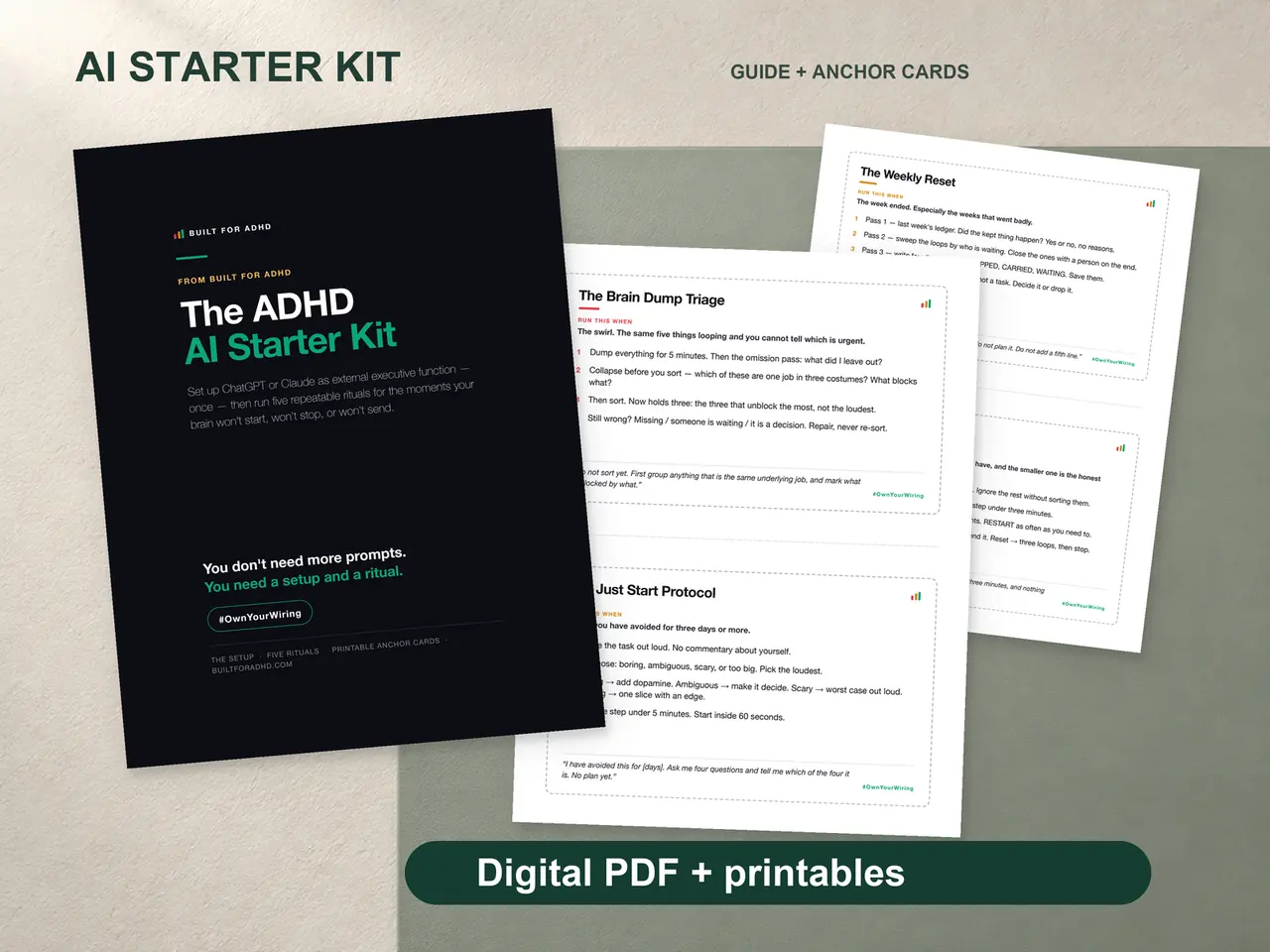
Everything in the AI Starter Kit’s ritual set runs on Gemini unchanged. Brain dump triage: paste the unfiltered mess into a chat (or your “Morning Sort” Gem) and ask for TODAY, THIS WEEK, LATER, IGNORE, plus one two-minute first action. Body doubling: use Gemini’s voice mode the same way you’d use ChatGPT’s — declare the task, set a return time, report back — which matters more once it’s the thing your phone already answers to. The setup differs by company; the rituals themselves don’t care which assistant is running them.
FAQ
Do I need to pay for Gemini to do any of this? No. Instructions for Gemini, personalization from past chats, Gems, and voice mode are all available on the free tier. Paid Google AI plans add expanded model access and deeper research allowances, not the core ADHD use case.
Is Gemini replacing Google Assistant on my phone whether I want it or not? For most Android phones and tablets, yes — the rollout started September 4, 2026, and rolls out gradually over several weeks. Once it reaches your device, you generally can’t switch back to classic Assistant.
Should I switch from ChatGPT or Claude to Gemini? Not necessarily — configure whichever you already open daily, per the graveyard test. Gemini’s specific edge is being built into your phone and Google account; use that as a reason to add it, not necessarily to replace what’s already working.
Can I build a custom GPT-style assistant on Gemini? Yes — it’s called a Gem, it’s free, and it’s currently more accessible than ChatGPT’s equivalent, which stopped accepting new personal-account creations in August 2026. You can only create or edit one from the Gemini web app, not the phone app.
Does Gemini work as a body double the same way ChatGPT does? Yes — the ritual is identical: declare the task, set a check-in time, talk instead of typing. Which assistant you use matters less than whether you actually run the ritual.
Sources
- Google Assistant Community, “Guide: Google Assistant to Gemini Transition” — https://support.google.com/assistant/community-guide/441911995
- Google, “Create & manage your calendar events with Gemini Apps” — https://support.google.com/gemini/answer/15305236
- Google, “Get started with Gems in Gemini Apps” — https://support.google.com/gemini/answer/15236321
- Google, “Use Gems in Gemini Apps” — https://support.google.com/gemini/answer/15146780
- 9to5Google, “Gemini app rolling out ‘Past Chats’ personalization to free…” — https://9to5google.com/2026/02/26/gemini-past-chats-free/
Related
- Claude for ADHD — the setup guide this one runs parallel to
- Custom GPT for ADHD — the ChatGPT- and Claude-side alternatives to a Gem
- Free AI tools for ADHD — where Gemini’s free tier sits next to ChatGPT’s and Claude’s
- Best AI tools for ADHD 2026 — the full comparison, rated on maintenance cost
- The AI for ADHD hub — every setup guide, technique, and honest review in one place
The four-piece ADHD AI Starter Kit includes the paste-in Setup Pack for ChatGPT, Claude, and Gemini, five rituals, printable anchor cards, the prompt pack, and an agent guide — $27 once, works on free AI accounts.