In this article
Direct answer first, because you searched a specific thing: the free tiers of ChatGPT, Claude, and Gemini already cover every job an ADHD brain needs an assistant for — task breakdown, drafting, body doubling, and sorting a messy brain dump — with no subscription required. The paid tiers exist for bigger context windows, higher usage caps, and specialized apps, not for anything that unlocks the ADHD use case itself. I checked every claim below against the companies’ own help pages this week, because “just trust me” isn’t good enough when the whole argument is “don’t pay.”
This matters more than it sounds like it should. Every ADHD tool graveyard starts with a subscription you were excited about in month one, and external executive function that costs $0 a month is a genuinely different proposition than one that costs $20.
What free actually includes, tool by tool
| Tool | Free tier includes | What’s gated behind payment | Enough for ADHD use? |
|---|---|---|---|
| ChatGPT | Custom instructions (up to 1,500 characters), memory, voice mode, Projects with per-project instructions, standard model access | Higher character limits on instructions, expanded model access, higher usage caps | Yes — the entire setup in the custom-instructions guide runs on free |
| Claude | Personalization, memory across conversations, up to 5 Projects, web search, file uploads | Enhanced project knowledge, top-tier models, Claude’s specialized apps, higher usage caps | Yes — the Claude setup is written entirely for the free tier |
| Gemini | Standard model access, image generation, Canvas, custom Gems, connected apps, web search | Expanded model access, deeper research allowances, higher usage caps, extra storage | Yes for the core jobs — the honest Gemini setup covers where it’s actually worth using |
| Goblin Tools | Every tool — Magic ToDo, Formalizer, Judge, Estimator, and more — no account required | Nothing meaningful; an optional account just syncs history | Yes, and it’s the fastest zero-friction option on this list |
| Brain Dump Sorter (ours) | The whole tool, always | Nothing — it’s free permanently | Yes, built specifically for “too much in my head, no structure” |
| Free ADHD AI prompt pack (ours) | 25 copy-paste prompts, always | Nothing | A running start if you don’t want to write your own prompts yet |
The one myth this list kills
Here’s the finding that surprised me while checking sources for this post: as of August 16, 2026, OpenAI stopped letting any personal account — free, Plus, or the $200/month Pro tier — create a new custom GPT. That capability now exists only inside paid business and school workspaces. If you were holding off on a ChatGPT subscription because you assumed paying would let you build your own custom assistant, it currently won’t. The custom-GPT post covers what to do instead — and it’s still free.
What you actually lose without paying
Realistically: a smaller context window (how much the model can “remember” within one long conversation), a lower daily cap before it asks you to wait or switch models, and access to a few specialized apps most people never open. None of that touches the four jobs that matter for ADHD: breaking a task down, drafting the message you’re avoiding, holding a body-double session, or sorting a messy brain dump into something you can act on. You’ll feel a free-tier cap if you’re running the assistant all day for work — that’s a real reason to upgrade. You will not feel it doing a morning brain dump and drafting three emails.
Free beats a $20 app you stop opening
The ADHD-specific math here isn’t subtle. A specialized ADHD app runs roughly $8 to $34 a month and demands a habit of opening a new thing daily to get value from it — exactly the kind of maintenance cost that predicts abandonment. A free, already-open assistant chat, configured once, needs nothing new from you going forward. The full comparison against specialized apps makes the wider case; the point here is narrower and, I’d argue, more useful: you don’t even need to decide between ChatGPT, Claude, and Gemini to get this benefit. Configure whichever one you already have open, for free, today.
When it’s worth paying
Pay when you’ve actually hit a wall the free tier put in front of you — a daily cap that stops you mid-task, a context window too small for the document you’re working in, or a specific paid feature you’d genuinely use weekly. Don’t pay preemptively “in case it helps,” because a subscription you’re not sure you need is its own kind of ADHD tax. Try the free tier for two weeks of real use first; the wall, if there is one, will be obvious.
FAQ
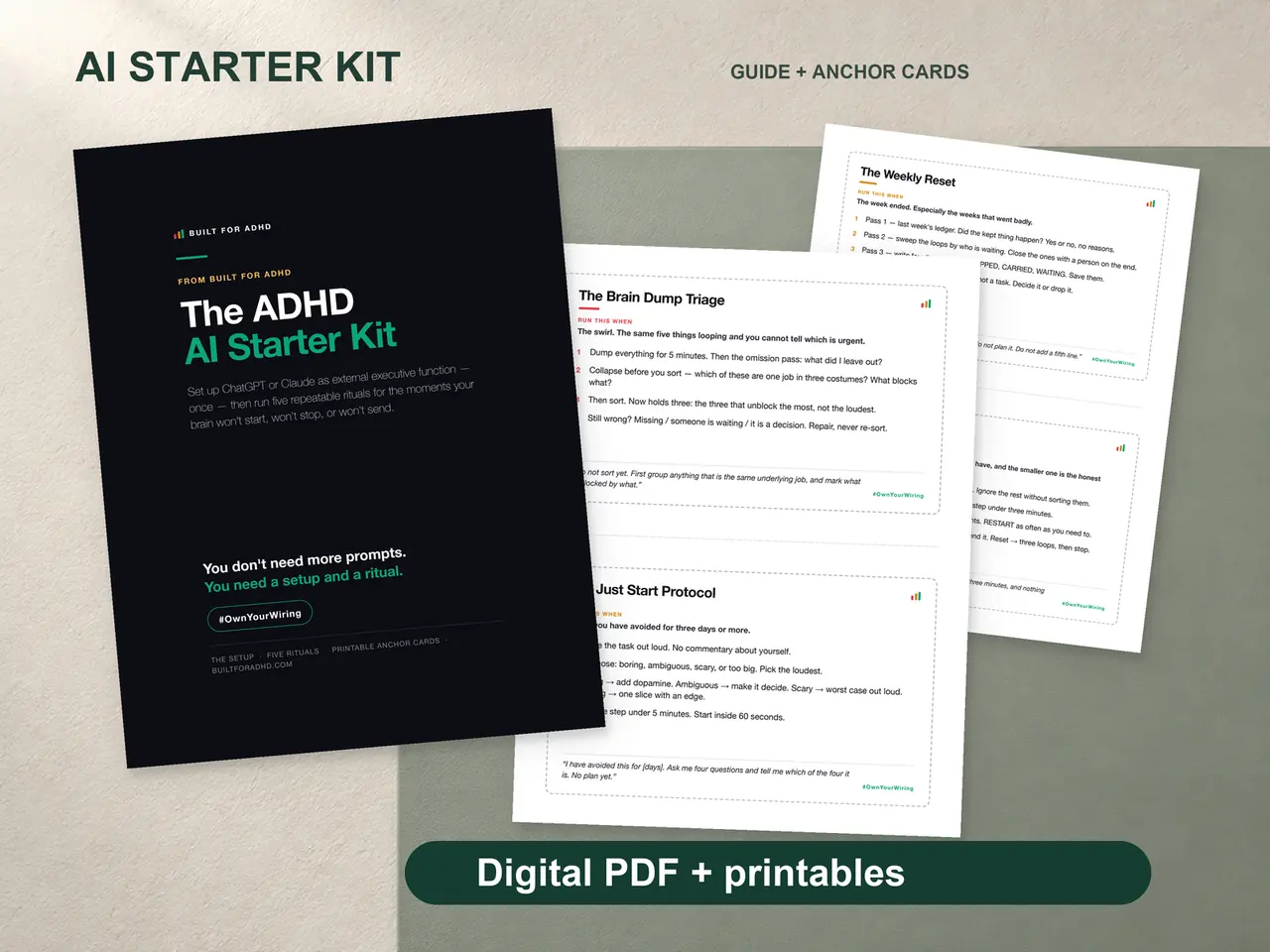
Do I really not need to pay for any of this? Correct — every technique on this site’s AI hub runs on free accounts. The ADHD AI Starter Kit is a one-time $27 purchase for the setup blocks and rituals, not a subscription, and it works entirely on free AI accounts.
Which free AI tool should I start with? Whichever one you already have open on your phone or in a browser tab. The graveyard test beats the feature list — the tool with zero friction to open wins.
Is Goblin Tools really completely free? Yes — no account is required to use any of its tools, and it’s kept free by sponsors, with an optional paid mobile app and optional account for saving history.
What did OpenAI actually change with custom GPTs? As of August 16, 2026, creating and publishing new custom GPTs is not available on any personal ChatGPT account, including paid ones — only Business, Enterprise, and Edu workspace accounts can still build them. Existing GPTs still work.
Will free tiers get worse over time? Possibly, and it’s happened before with various tools. If a free tier you rely on tightens, the fallback is always another free assistant — the setup and rituals transfer, because none of them are locked to one company’s product.
Sources
- OpenAI Help Center, “ChatGPT Free Tier FAQ” — https://help.openai.com/en/articles/9275245-chatgpt-free-tier-faq
- OpenAI Help Center, “ChatGPT Custom Instructions” — https://help.openai.com/en/articles/8096356-chatgpt-custom-instructions
- OpenAI Help Center, “Using GPTs on Our Free Tier FAQ” — https://help.openai.com/en/articles/9300383-using-gpts-on-our-free-tier-faq
- OpenAI Help Center, “Using Projects in ChatGPT” — https://help.openai.com/en/articles/10169521-using-projects-in-chatgpt
- Claude by Anthropic, “Plans & Pricing” — https://claude.com/pricing
- Claude Help Center, “What are projects?” — https://support.claude.com/en/articles/9517075-what-are-projects
- Goblin Tools — https://goblin.tools/
Related
- Best AI tools for ADHD 2026 — the full vendor comparison, rated on maintenance cost
- Custom GPT for ADHD — what replaced the discontinued GPT builder
- The free Brain Dump Sorter — always free, for the days your head is too full
- Free ADHD AI prompts — 25 copy-paste starters, no subscription
- The AI for ADHD hub — every setup guide, technique, and honest review in one place
If you want the setup finished for you in one evening — both paste-in blocks, five rituals, and printed anchor cards — that’s the ADHD AI Starter Kit, $27 once, no subscription, works entirely on free AI accounts.