You have probably had the thought already: everyone keeps saying AI changes everything, and if anyone could use a second brain it is you. Then you open ChatGPT, look at the blank box, cannot think of what to type, and close the tab. That is not a failure of imagination. A blank box is the single worst interface for a brain that struggles with task initiation — it is the same reason blank planners stay blank.
So this page skips the hype and answers the actual question: for ADHD specifically, what does AI genuinely help with, what does it not, and how do you use it without adding one more thing to abandon.
The Honest Version: What AI Is and Isn’t Good For
AI is very good at four jobs that happen to be exactly where ADHD brains stall.
Breaking things down. “Sort out the garage” is not a task, it is a mood. AI will turn it into a sequence of concrete steps, and more importantly it will keep shrinking the first one until it is small enough that starting feels stupid rather than impossible.
Sorting a brain dump. When everything is swirling at once, the problem is not that you lack information — it is that you are holding twelve open loops in a working memory built for about four. Dump all of it into AI and ask it to sort by what is actually today versus what only feels urgent, and the noise becomes a list.
Rewriting the thing you are avoiding. The email you have not sent for nine days, the message to your landlord, the apology you keep rewriting in your head. AI drafts it in seconds, which removes the part your brain was flinching from. Rejection sensitivity makes some messages disproportionately expensive to write. Handing off the first draft is a legitimate accommodation.
Answering the same question again without judgment. You can ask a fourth time. It will not sigh.
Now the other side, because this matters more.
AI does not make you start. It cannot supply the activation energy, and it is very willing to help you research and plan and optimize forever — which for an ADHD brain is a genuinely dangerous failure mode, because planning feels productive while nothing moves. It also does not remember your life unless you tell it to, and it does not sit next to you at the moment you actually have to do the thing.
That last one is the important limitation, and it drives everything below.
Why AI Answers Vanish (and the Fix)
Here is the pattern almost everyone hits. You have a genuinely great conversation with AI. It breaks your project into perfect steps. You feel clear for the first time in weeks. Then you close the tab, and by that evening the plan is gone — not forgotten exactly, just no longer present.
This is not a discipline problem. Out of sight really is out of mind when working memory is the weak link, and the screen where your plan lives is also the screen with your email, your messages, and everything else competing for the same attention.
The fix is unglamorous: the thinking happens on screen, the doing happens on paper. Get the output out of the tab and onto something physical that sits where you work. A page on the desk does not have notifications, does not require you to remember it exists, and cannot get buried under seventeen other tabs.
That split — AI for the thinking, paper at the point of performance — is the whole method. It is also why we do not sell an AI app. Another app is another thing to open, another subscription to forget, another login between you and starting.
Where to Start (Pick One)
ChatGPT vs Claude vs Gemini: The Feature Matrix
Checked 2026-09-21 against each company’s own help center — not vendor marketing, not a “best of” list written by one of the apps.
| Feature | ChatGPT | Claude | Gemini |
|---|---|---|---|
| Persistent custom instructions | Yes — Settings → Personalization → Custom Instructions, available for new chats when enabled; Free/Go 1,500 characters and paid tiers 5,000 in the cited Help Center guidance. | Yes — “Instructions for Claude,” applies account-wide to new conversations, on Free. | Yes — “Instructions for Gemini” under Personal Intelligence, personal Google accounts only, rolling out. |
| Memory across chats (on by default?) | Yes it has memory; on-by-default status not verified as of 2026-09-20. | Yes — on by default for Free, Pro, Max; off by default for Team, Enterprise. | Yes it has memory; on-by-default status not verified as of 2026-09-20. |
| Project/workspace instructions | Yes — Projects, on Free. | Yes — Projects, up to 5 on Free. | Yes — Gems, on Free. |
| Voice mode | Yes, on Free (usage-capped). | Yes (beta), on every plan including Free. | Yes (Gemini Live), free on personal accounts. |
| Photo/image input | Yes, on Free. | Yes — JPEG/PNG/GIF/WebP, not gated by plan. | Yes, on Free; paid raises file-count limits. |
| Scheduled tasks/reminders | Yes, on Free (one-time or recurring no more than once/day, 3 active). | No on Free — Pro, Max, Team, or Enterprise only. | No on Free — needs Google AI Plus/Pro/Ultra. |
| On the free tier? | All six above, usage-capped. | Five of six (no scheduled tasks). | Four of six confirmed (no scheduled actions; two memory defaults unverified). |
| Turn off training | Settings → Data Controls → “Improve the model for everyone” off. | Settings → Privacy → “Help improve our AI models” off. | Turn off “Keep Activity” at myactivity.google.com/product/gemini. |
How to Choose
- If you need to think out loud more than you need to type: start with whichever assistant you already open; ChatGPT’s voice mode is available on Free with usage limits.
- If you want a workspace that remembers a routine instead of making you retype it: Claude Projects, on the free plan, up to five of them.
- If your day already runs through Gmail and Google Calendar: Gemini can reduce copy-paste after you explicitly connect the relevant services and grant permissions.
- If you want zero subscriptions, period: all three cover the basics for free — the one gap is scheduled tasks, which only ChatGPT still gives you at $0.
- If you’re not sure what any of them do with what you type: turn off training in each app’s privacy settings before you say anything you’d rather not sit in a data set.
Sources
- ChatGPT Custom Instructions — OpenAI Help Center
- Memory FAQ — OpenAI Help Center
- Projects in ChatGPT — OpenAI Help Center
- Voice Mode FAQ — OpenAI Help Center
- ChatGPT Image Inputs FAQ — OpenAI Help Center
- Scheduled Tasks in ChatGPT — OpenAI Help Center
- Data Controls FAQ — OpenAI Help Center
- Understanding Claude’s Personalization Features — Claude Help Center
- What Are Projects? — Claude Help Center
- Use Claude’s Chat Search and Memory — Claude Help Center
- Use Voice Mode — Claude Help Center
- Upload Files to Claude — Claude Help Center
- Schedule Recurring Tasks in Claude Cowork — Claude Help Center
- How Do I Change My Model Improvement Privacy Settings? — Anthropic Privacy Center
- Get Personalization in Gemini Apps — Gemini Apps Help
- Get Started with Gems — Gemini Apps Help
- Talk Naturally with Gemini Live — Gemini Apps Help
- Upload & Analyze Files in Gemini Apps — Gemini Apps Help
- Schedule Actions in Gemini Apps — Gemini Apps Help
- Gemini Apps Limits & Upgrades for Google AI Subscribers — Gemini Apps Help
- Gemini Apps Privacy Hub — Gemini Apps Help
- ADDitude Magazine, “Improving Your Working Memory: Executive Function and ADHD” — https://www.additudemag.com/working-memory-powers-executive-function/
Not a program. One of these, today.
If your head is too full right now: dump everything into our free Brain Dump Sorter. Paste the swirl, get it back sorted into what is actually today, what can wait, what is parked guilt-free, and what you have permission to drop — plus one tiny first step. No account, no cost.
If you want prompts rather than a tool: grab the free ADHD AI Prompt Pack. Copy-paste prompts for the jobs above, written so you never face a blank box. This is the thing most people should start with, because the barrier was never access to AI — it was not knowing what to say to it.
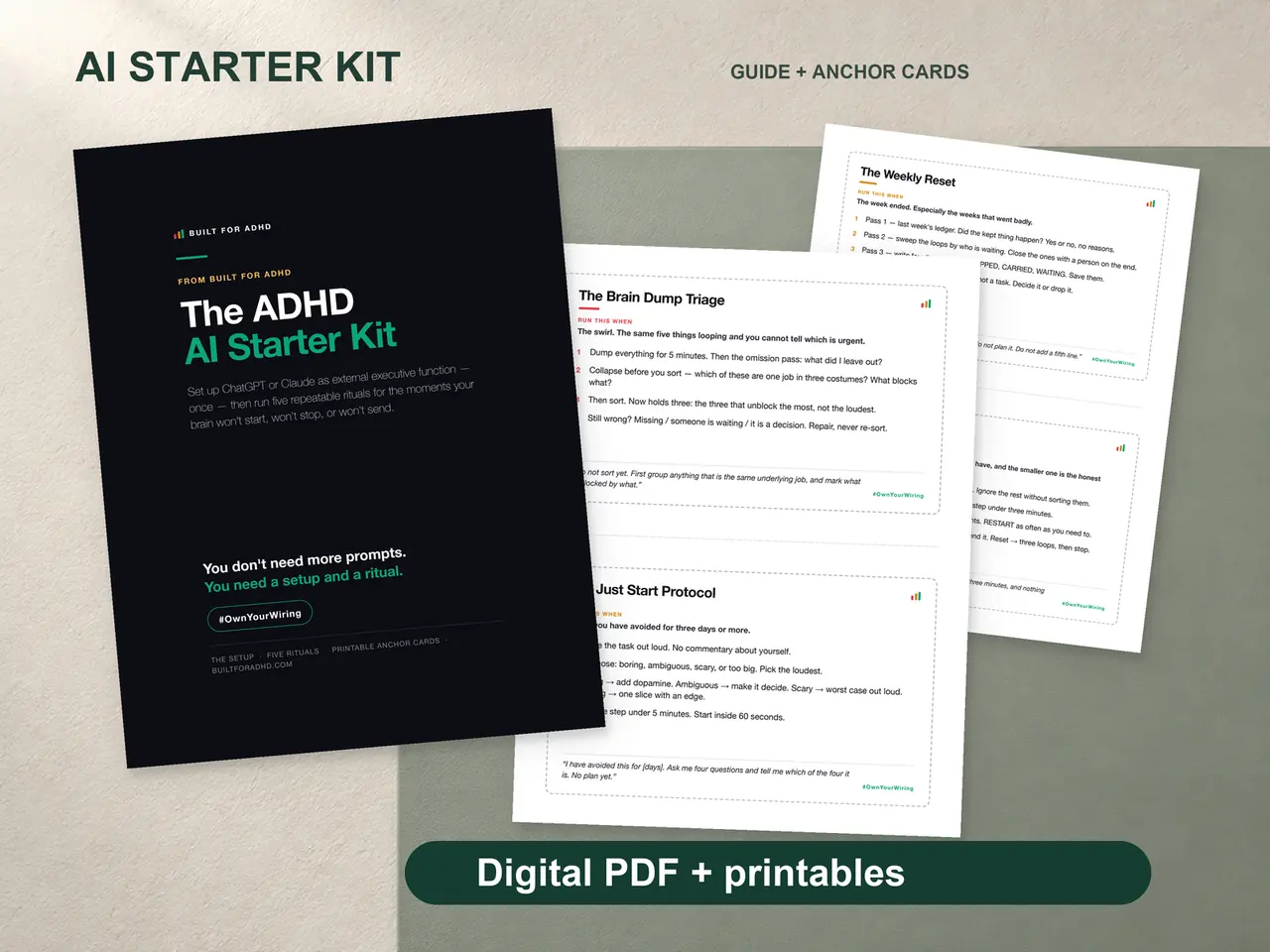
If you want the system rather than the pieces: the ADHD AI Starter Kit is the paid version of this page. The setup block to paste once so the AI already knows your brain, five rituals you run again instead of reinventing each time, and printable anchor cards so the ritual survives the tab closing. Designed PDFs and print pages, not an app. One purchase, no subscription.
Prompts That Actually Work
A pattern worth internalizing, because it fixes the most common complaint about AI advice being too generic: give it your constraints, not just your task.
Instead of “help me plan my week,” try telling it you have ADHD, that you have roughly two good focus hours a day and they are unpredictable, that you will not follow a rigid schedule, and that you need the first step of anything to take under five minutes. The output changes completely — it stops handing you a color-coded timetable you will abandon by Tuesday.
A few more that reliably earn their keep:
- “Here is my brain dump. Sort it into: actually today, can wait, parked guilt-free, safe to drop. Then pick the one that would make today feel like a win and give me a first step under two minutes.”
- “I have been avoiding this task for [X] days. Ask me three questions to find out what specifically I am avoiding about it, then give me a way in that skips that part.”
- “Rewrite this so it is polite and brief and does not sound anxious.”
If those help, the free pack has 25 of them organized by the situation you are actually in.
Go Deeper on One Piece
This page is the overview. If one part of it is the part you actually needed, there is a longer version of each:
- Using ChatGPT for ADHD — custom instructions worth setting once, and the specific conversations that work.
- ChatGPT prompts for ADHD — the prompts written out in full, organised by the situation you are in.
- AI for executive dysfunction — an honest walk through which executive functions AI can genuinely offload, and which it cannot touch.
- AI brain dump — the two-step method: dump without sorting, then let AI do the sort.
- Can AI be your ADHD assistant? — the honest capabilities-and-limits guide, and the one setup decision that changes the outcome.
- AI body doubling — the session structure that makes an AI check-in actually keep you on task.
- A ChatGPT morning routine — the 5-minute paste-sort-move loop that replaces the where-do-I-start spiral.
- AI task breakdown — turning outcomes into 2-minute starts, and why the breakdown alone isn’t the fix.
What This Doesn’t Replace
Two honest notes.
AI is a productivity tool, not treatment. It does not diagnose, it is not therapy, and it does not replace a conversation with a qualified healthcare provider. If you are struggling, talk to one.
And it does not replace a system. AI is very good at helping you think when you are already sitting down with the intention of thinking. It is no help at 7am when the day has not been decided yet, or at 11pm when your brain will not shut off. That is what the printed pages are for — the structure that is already there before you have the energy to create any. The AI makes the plan sharper. The paper makes it exist.
Start with one prompt. Print one page. That is genuinely the whole on-ramp.
More setup guides, techniques, and honest tool reviews live on the AI for ADHD hub.