In this article
It is 5:17 PM and I am standing in front of an open fridge that contains food. Not a metaphor, not an empty fridge — actual ingredients, several of which I bought on purpose within the last four days. And I am going to close it in about ninety seconds and order something, because the fridge is not asking me to cook. It’s asking me to decide, and the decision-making is gone by five.
I spent a long time thinking the answer to this was recipes. It wasn’t. I had recipes. I had a Pinterest board of them, which is its own kind of confession.
The first time I asked AI for help with dinner I did exactly the obvious thing — “give me some easy dinner ideas” — and got fifteen good suggestions that I did not use, because the problem had never been an absence of ideas. Fifteen options is worse than zero options at 5:17. What finally worked was aiming the tool at the only part of this that was actually hard.
Meal planning apps are built for people who’ve already decided
Open any of them. They want you to pick meals for the week, add them to a plan, and generate a list. Every one of those steps assumes the hard part is organizing the decision, and for an ADHD brain the hard part is making it — repeatedly, seven times, on a Sunday, for a future version of yourself whose energy you cannot predict.
This is the same gap that makes most productivity systems fail. The tool handles the recording. Your brain is stalling at the upstream step the tool never touches.
And the 5 PM version is worse, because by then the budget is empty. Decision fatigue isn’t a personality flaw at the end of the day — it’s a resource that’s genuinely spent, and dinner is the decision that keeps landing after everything else has drawn it down. So you get the thing where you haven’t eaten until you’re past the point of being able to plan eating, and then you get DoorDash, and then you get groceries rotting in a drawer as a small weekly tax on being you.
Ask it to decide, not to suggest
Here’s the reframe that made this work: the AI’s job is to hand me one plan, not a menu. Options are the enemy. I want output I can act on without a second decision layered on top.
That means giving it enough about my actual kitchen that it can commit, which is a five-minute setup you do once.
Step 1 — the standing brief (write this once)
Paste this into ChatGPT or Claude as custom instructions, a project, or just the top of a chat you reuse. Fill in your real answers, not aspirational ones.
“You’re helping me plan dinners. Context: [number] adults, [number] kids, ages [x]. Meals everyone actually eats without a fight: [list 8–12 — your real ones]. Absolute no-gos: [allergies, textures, the thing your kid will not tolerate]. Weeknight cooking window: [20 minutes / 40 minutes]. Nights I have no capacity: [Tue, Thu]. Equipment I actually use: [sheet pan, slow cooker, air fryer]. Rules: never suggest a meal outside my safe list without flagging it as new. Never give me more than one option per night. Frozen and pre-made count as real dinners.”
That last line is doing real work. Left alone these tools default to a tone of gentle culinary ambition, and an ADHD meal plan that can’t hold a frozen pizza on a Tuesday is a plan that will be abandoned by Wednesday.
The safe-foods list is the piece people skip and the piece that makes the difference. Twelve meals your house already eats is not a limitation — it’s the entire working set. Sorting by what a task costs rather than what it takes applies to food exactly like it applies to everything else.
Step 2 — the weekly ask
Once a week, whenever your reset already happens:
“Plan dinners for the next 7 days using the brief. For each night give me: the meal, the energy level it takes (low / medium / high), and the one thing I have to remember earlier in the day (thaw, soak, start at 4). Put low-energy meals on my no-capacity nights. One option per night, no alternatives. Then a grocery list organized by store section, and mark anything I likely already have as ‘check first.’”
What comes back is a week I didn’t have to author. I move things around maybe twice, which is editing — a completely different and much cheaper operation than generating.
Step 3 — the 5:17 rescue
For the nights the plan didn’t survive:
“I have [whatever’s actually in the fridge]. I have [15] minutes and low energy. Give me one thing to make. Not a list. One. If nothing works, tell me what to order instead.”
Not a list. One. I have that sentence saved because I will otherwise be handed a menu, and a menu at 5:17 is the exact thing I came here to escape. If you want more prompt patterns shaped this way, the stuck-state prompt set sorts them by what’s actually jammed rather than by task.
Where this genuinely breaks
Three honest limits, because I’d rather you hit them here than in your kitchen.
It invents quantities. Grocery amounts come back confident and wrong often enough that I treat every number as a rough draft. Ask for items, sanity-check amounts yourself.
It does not know your fridge. “Check first” is a prompt instruction, not a capability — it’s guessing based on what it would be normal to have. The one workaround that’s better than typing is photographing the open fridge and asking what’s in it, which works the same way the photo-to-plan approach does for a messy room.
It will drift back to ambition. Four or five exchanges in, the plans start getting nicer. Re-paste the brief when that happens. I re-paste mine roughly monthly and it takes ten seconds.
Nutrition and anything medical is outside what this is for. This is a scheduling tool for dinner, not advice about food.
The output has to leave the chat
This is the part I got wrong for months. A beautiful seven-day plan living in a scrolled-past conversation is a plan that does not exist at 5 PM, because at 5 PM you are not opening an app to search your chat history — you are opening the fridge.
Get it onto the fridge itself. Paper, whiteboard, printed, handwritten while you read it off the screen. The plan needs to be in the room where the decision happens, or the decision gets made by the room instead. That’s the same reason the free parent starter set is built as a wall surface rather than a file — visible beats organized, every time.
Two other things worth doing on day one: keep your safe-foods list somewhere permanent so you’re not regenerating it, and give the plan a standing slot in the week you already reset, not a new one. And if you want the pre-built version of the surface this ends up living on — the energy matrix, the grocery sheet that builds from the plan, the survival-dinners page for the weeks it all falls over — the printable meal planning template is the paper half of this.
Start with the brief tonight. Twelve safe meals, your real no-capacity nights, and the rule that frozen counts. Everything above it is just asking.
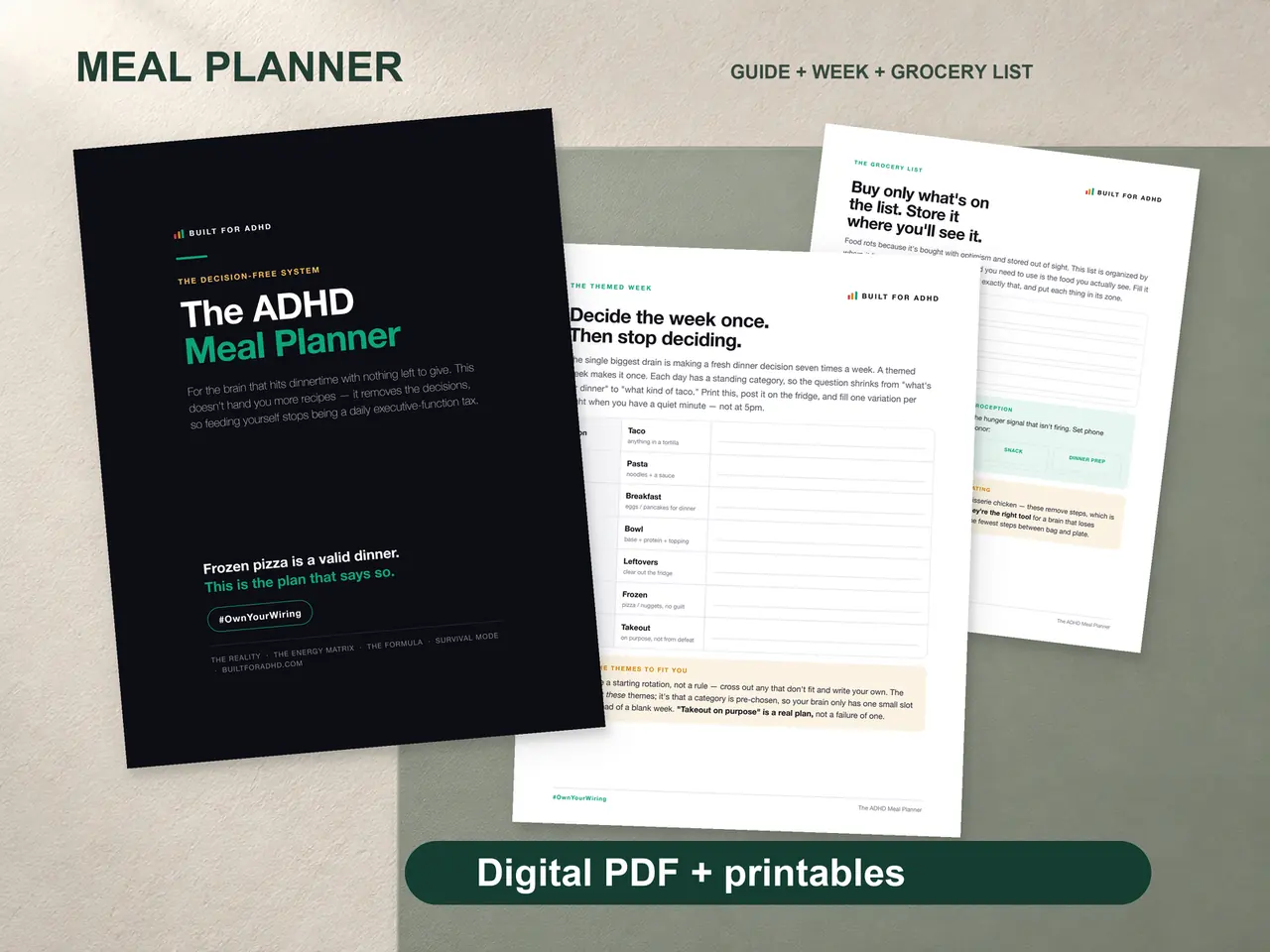
If you’d rather not build it — the energy-sorted meal matrix, the safe foods and formula pages, the grocery list organized by store section, and the survival dinners list for the fridge — that’s the ADHD Meal Planner, $7. The prompts above are free and they work fine on their own.
Related tools
- The printable meal planning template — the paper surface the plan lives on
- The free parent starter set — the fridge-wall layout that makes a plan visible
- What to eat when you can’t decide — the 5 PM problem without the AI
- ADHD decision fatigue — why dinner is the decision that always loses
- Energy-based task management — the sorting rule the meal matrix runs on
- ChatGPT prompts by stuck state — more prompts shaped like these
Sources
- OpenAI Help Center, “ChatGPT Image Inputs FAQ” — https://help.openai.com/en/articles/8400551-chatgpt-image-inputs-faq